| |  |
|
|
|
|---|
|
| | A Message from the Founders | Dear EasyLog Friends, This summer, we hope you embrace your passion with the enthusiasm we’ve had in enhancing EasyLog over the past months. We understand that summer is perfect for trying new things, joining contests, or taking the radio on the road. EasyLog is crafted to accompany you everywhere, offering dependable tools for even the toughest scenarios. EasyLog also facilitates connection and sharing, with many users forming both small and large groups, fostering relationships beyond the radio. Happy DX!
IK1TZO Pietro and IW1DGL Franco
|
|
| | | 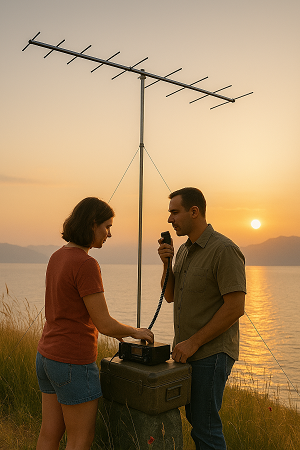 | | | | | Summer shows us that distances shrink when passion serves as a signal.
— The EasyLog Team
|
| | |
|
|
|---|
| | Latest News | We're almost ready for our upcoming release |  | | |
| This week we are working to finalize the new release that we will soon reveal to you in preview. Stay tuned to not miss any news and always stay updated! |
|
| | | | | We are proceeding with the development of the new Reserved Area, seamlessly merging it with our website and your account to enhance and simplify the user experience. | | | The newsletters on the site easylog.com | We have started exporting all newsletters to our site, so previous issues can be accessed. There are many issues, so we kindly ask for a little more patience. |
|
|
|---|
|
The new release 2025.1.3.0 is being distributed | Version 2025.1.3.0 is now accessible in the Reserved Area for users with active support. Discover the latest features and improvements: ✅ Improved DX-Alert section with additional selection options
✅ DX-Cluster now provides expanded LoTW details directly in the spot
✅ Introduced 28 new flags, including those for removed entities ✅ A comprehensive list of all enhancements, new features, and fixed issues, can be found during the installation of the new release or in the \el5\readme.* file in the EasyLog installation directory. Upgrade now or buy EasyLog to experience all the latest features we've added along with those in the new release. | | | | | | | 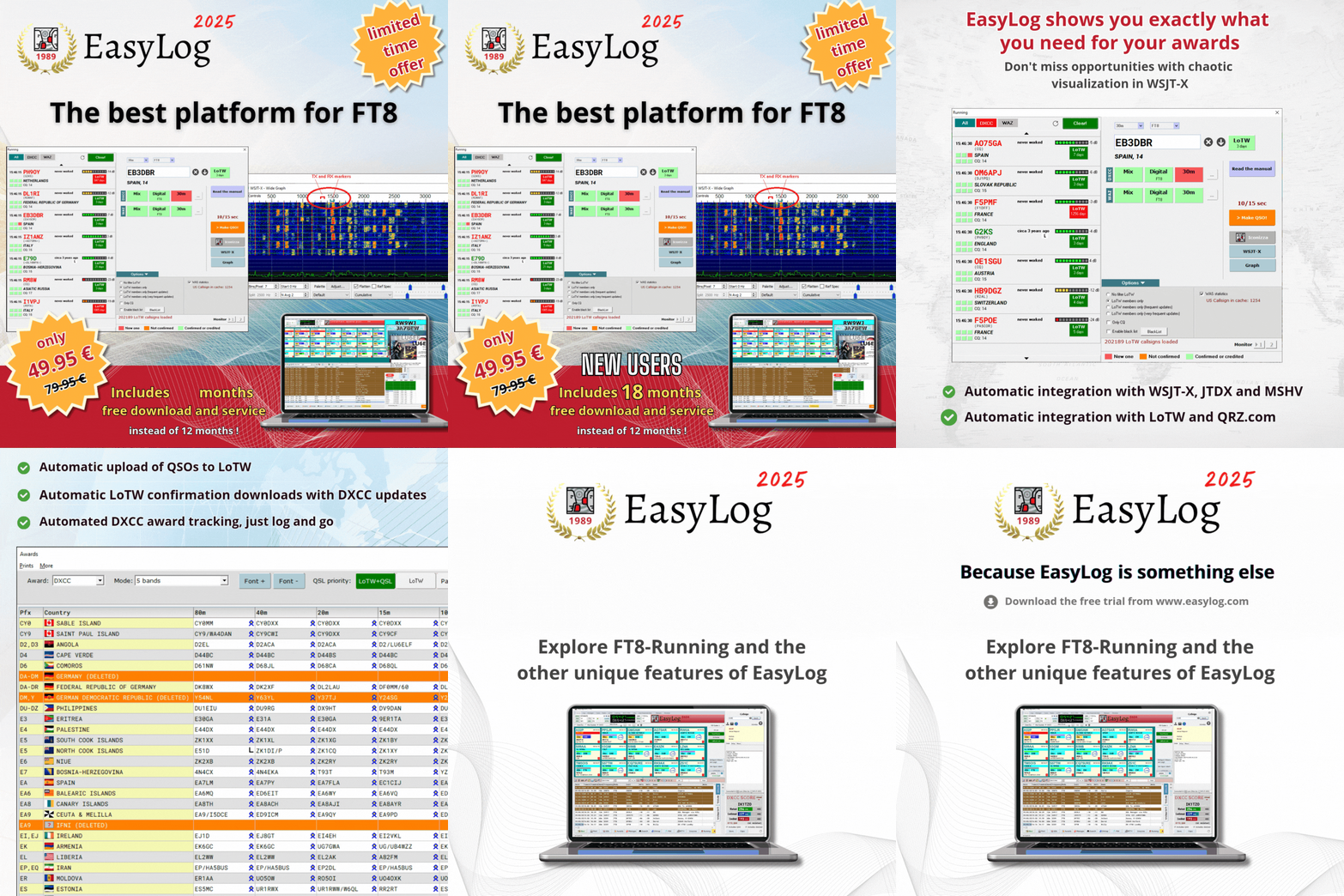 | | | | | |
| Purchase EasyLog today to get 18 months of free downloads instead of 12! Act fast! |
|
| | | Explore EasyLog, featuring top-notch Diploma management, seamless FT8/FT4 integration with LoTW, and much more. Enjoy 12 months of free downloads and unique services. Plus, our priority technical support ensures you're never left on your own. |  | | | | | | | Benefit from an additional 12 months of complimentary updates for new versions and related services: Manager, DXCC and CHECK (country recognition engine), diploma updates, exclusive Facebook group, and priority tech support service. | | | | | | |  | | | | | |
| | |
|
|
|---|
|
| | The perfect moment for a good read |
|
| |
|---|
|
Summer is ideal for diving into a great science fiction novel, a thrilling mystery, an adventure story, or a motivating technical guide on radio. | Grab your tablet and explore our ebooks for radio enthusiasts. Enjoy your reading! |
|
| | | | | | | | |  | | | | | |
|
|
|
|---|
|
| | | | | |  | | | | | |
|
|
| | | | | | | For further details, check out our ebook page by clicking the image above or using this link: visit the ebook page | | | | | |
| | | | | | | | | All our ebooks, offered in 4 languages, are crafted in an informative style that suits both beginners and specialists. | | | | | |
|
|
|
|---|
|
| | Tips & Tricks | | | LoTW and managing multiple callsigns | The LoTW functionality in EasyLog operates separately for each Log. This week's Tips & Tricks will cover how to handle the upload of various callsigns and locations. | EasyLog automatically handles the upload of new QSOs to LoTW and the download of new confirmations. Uploading and downloading LoTW confirmations When uploading, your QSOs are converted into ADIF format, signed via TQSL, and sent to LoTW for processing. LoTW checks them against your correspondents' Logs and marks as confirmed if there's a match. EasyLog then automatically downloads these confirmations, updating your Log and DXCC. How LoTW verifies your identity To ensure upload identity, LoTW uses certificates in TQSL, which can be obtained by submitting verifiable details like an amateur radio license to your email. After adding the certificate to TQSL and setting one or more station locations, you're ready to send your first Log. LoTW configuration in EasyLog For EasyLog, you need to input the lotw.arrl.org site credentials from registration, along with the callsign and station location details used by TQSL for Log e-signature, into the LoTW menu's configuration window. | LoTW configuration in EasyLog | | | | | | | 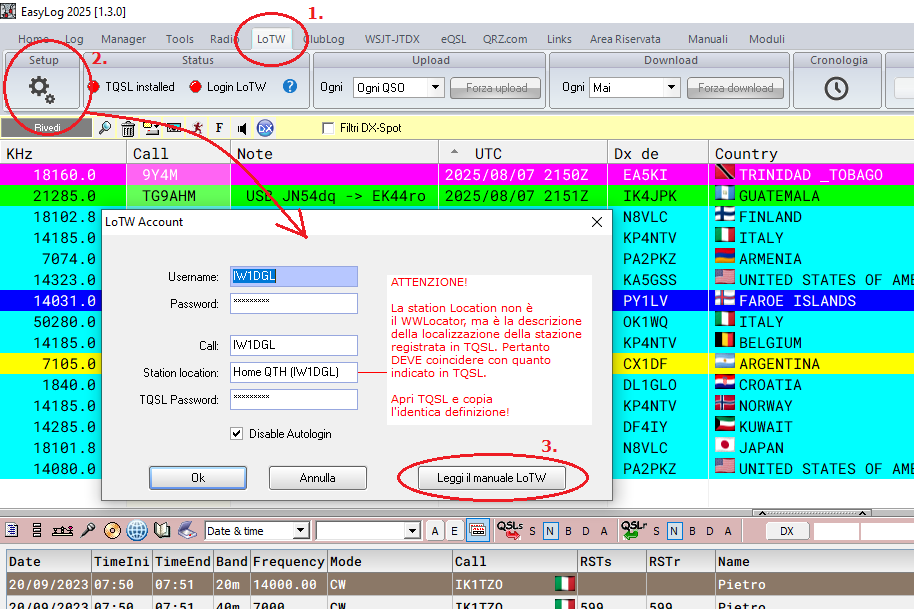 | | | | | |
| To access the configuration window, first click the LoTW menu (1.), then select the configuration button (2.) | To learn how to set up LoTW in EasyLog and create a LoTW account if you haven't signed up yet, thoroughly review the LoTW configuration manual by pressing the button 3. |
|
| | | How to manage multiple contacts | If you have additional callsigns besides your main one, you will need a certificate for each. For portable callsigns like IW1DGL/1, it should be entered in the EasyLog configuration and match the certificate's callsign. Important If a portable callsign is linked to a certificate, enter it in the Log settings window so that the ADIF created during upload has the correct callsign; otherwise, TQSL will show an error during signing. Generally, the callsign in the Log must match the TQSL certificate's callsign, which also applies to station location. | configuration of a Log name |
| | | | | | | 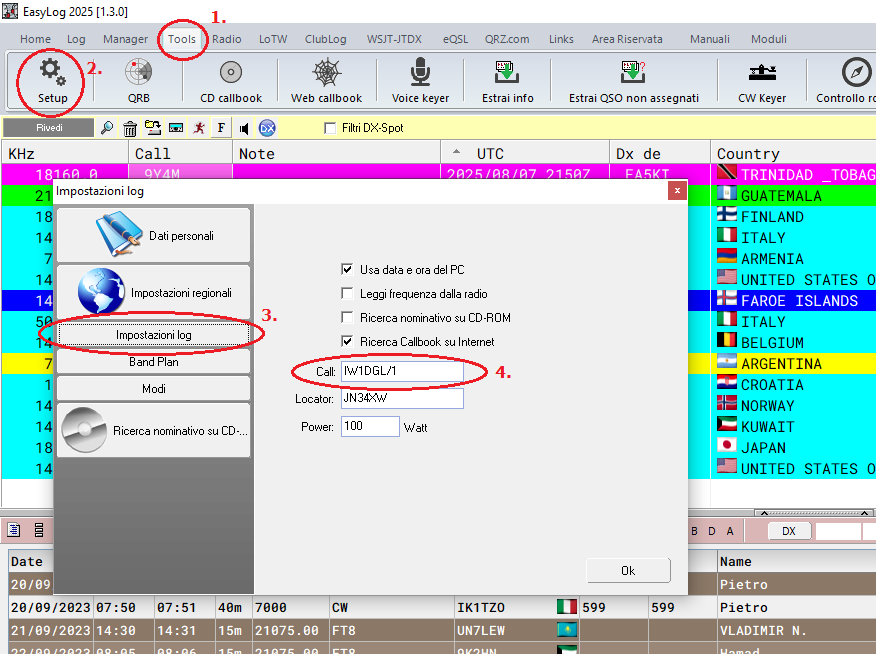 | | | | | |
| To assign a name to a Log, access the Log settings window by selecting the Tools menu (1.), then Setup (2.), click on Log Settings (3.), and lastly, enter the name (4.) | The Log's name is unrelated to the callsign and does not appear in the ADIF file exported for TQSL signing. If you wish to create a Log with a callsign, remember that the Log's name becomes the folder name in \EL5\LOG\<Log name>.LOG. Therefore, avoid using characters not permitted in file names like '/' and instead, use a hyphen '-' Examples of valid Log names IW1DGL IW1DGL-1 DXP-CUBA QTH-HOLIDAYS | | |
|
|
|---|
|
| | 🍾🥂🍰 -Vogliamo fare i nostri migliori auguri di buon compleanno a Betty! Betty, IK1QFM è un membro del nostro team da sempre (e XYL di Max, IK1GPG). È molto attiva sia dietro le quinte che in prima linea, in una miriade di attività, e anche come webmaster di vari siti e delle pagine dei diplomi e CHECK del nostro sito easylog.com.
Grazie di cuore, Betty per tutto quello cha fai! |
|
|
|---|
|
| | 🍾🥂🍰 - Wishing a very Happy Birthday to Giorgio, IK3PQH! From the start of EasyLog, Giorgio has consistently been a thorough beta tester identifying even the most hard-to-find issues with great patience Thank you, Giorgio! |
|
|
|---|
|
 | DX-Pedition, news and activities from around the world. | | |  | 3G0YT, EASTER ISLAND From 12 to 15 August
IOTA: SA-001
on bands from 10m to 20m QSL via: LoTW | | |  | 5H1UM, TANZANIA From August 12 to 24 IOTA: AF-032 (Zanzibar Is.) in SSB, FT8 on HF bands QSL via: OQRS, or direct via SQ9UM |
|
| | | | | 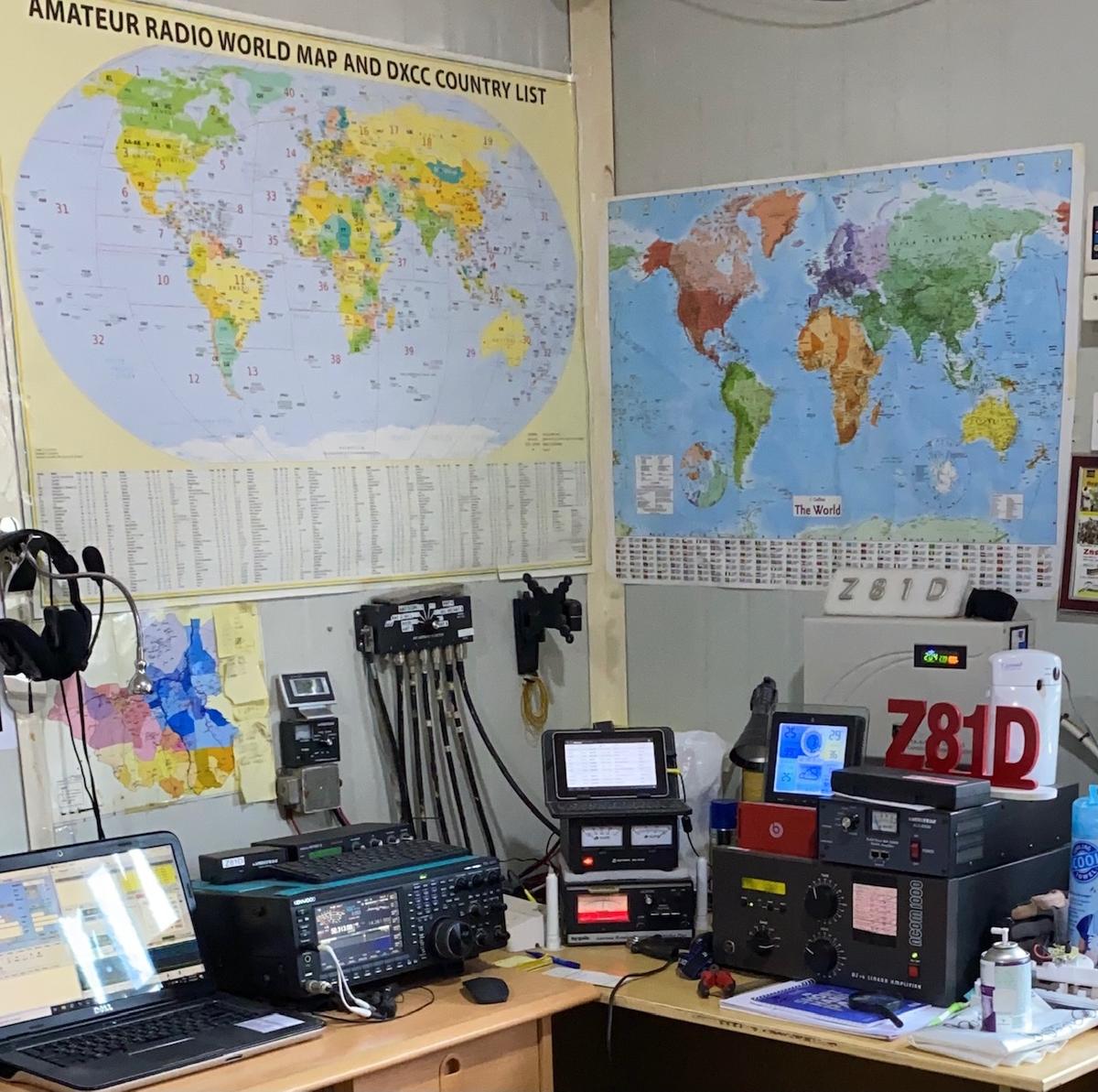 | Z81D, REPUBLIC OF SOUTH SUDAN From August 2 to 31 in SSB, FT8 on the bands from 6m to 40m QSL via: OM3JW | | |  | E51KEE, SOUTH COOK ISLANDS From 5 to 18 August
IOTA: OC-13 in CW, SSB
on bands from 40m to 10m
QSL via IK2DUW, OQRS | | |
|
|
|---|
|
| | | |  | If you're a registered user seeking assistance or new and looking for EasyLog information, please reach out to our customer support. support@easylog.com | | | | |
|
|
|---|
| | Do you own a business and need a partner for your tech challenges? Our team provides customized software solutions. Submit your projects for evaluation, and we will prioritize your satisfaction with the same precision and dedication that went into creating EasyLog. | | |
|
|
|---|
|
Stay in touch, follow us, and like our page. |
| | Center Images | | | | | You are receiving this newsletter because you are either a registered user or have downloaded the trial version or the eBook. |
| Microware Software © 1989-2025 - All rights reserved |
|
|
|
|---|
|
|
|