| |  |
|
|
|
|---|
|
| | A message from the founders | Dear friends of EasyLog, Radiotelegraphy has a history spanning over a century and continues to progress even in our modern technological age, retaining its early charm. It has always embraced passion, innovation, and community. For over 35 years at EasyLog, we've been providing radio amateurs with ever-evolving solutions to make the experience easier and more fulfilling. Our mission to support the passion that keeps the radio magic alive remains steadfast. Happy DX!
IK1TZO Pietro and IW1DGL Franco
|
|
| | |  | | | | | Progress is impossible without change, and those who cannot change their minds cannot change anything. — George Bernard Shaw
|
| | |
|
|
|---|
| | Latest News | We're close to finalizing our upcoming release |  | | |
| We have completed an initial alpha version and in the coming days a beta. We plan to be able to release the next version within about ten days. Stay tuned! |
|
| | | | | We are continuing with the work on the new Reserved Area perfectly integrated with our website and with your account to further improve and facilitate the user experience. | | | The newsletters on the easylog.com site | We are proceeding with the work to export all the newsletters to our site so that you can consult all the previous issues of the newsletters. There are still many, thank you for your patience. |
|
|
|---|
|
| | Take the time to enjoy a little pause of tranquility. Our eBooks are designed to keep you company during those quiet moments — when you simply want to relax, read, and spend some time alone with your hobby. Sit back comfortably, turn the pages, and let this reading bring a touch of light to your day. | Grab your tablet and explore our ebooks for radio enthusiasts. Enjoy your reading! |
|
|
|---|
|
| | | | | |  | | | | | |
 | All our ebooks, offered in 4 languages, are crafted in an informative style that suits both beginners and specialists. | | | | | |
|
|
| | | | | | | For further details, check out our ebook page by clicking the image above or using this link: visit the ebook page | | | | | |
| | | | | | |  | | | | | |
| | |
|
|
|---|
|
| | | | | |  | | | | | |
|
|
|
|---|
|
The new release 2025.1.3.0 is being distributed | Version 2025.1.3.0 is now accessible in the Reserved Area for users with active support. Discover the latest features and improvements: ✅ Improved DX-Alert section with additional selection options
✅ DX-Cluster now provides expanded LoTW details directly in the spot
✅ Introduced 28 new flags, including those for removed entities ✅ A comprehensive list of all enhancements, new features, and fixed issues, can be found during the installation of the new release or in the \el5\readme.* file in the EasyLog installation directory. Upgrade now or buy EasyLog to experience all the latest features we've added along with those in the new release. | | | | | | | 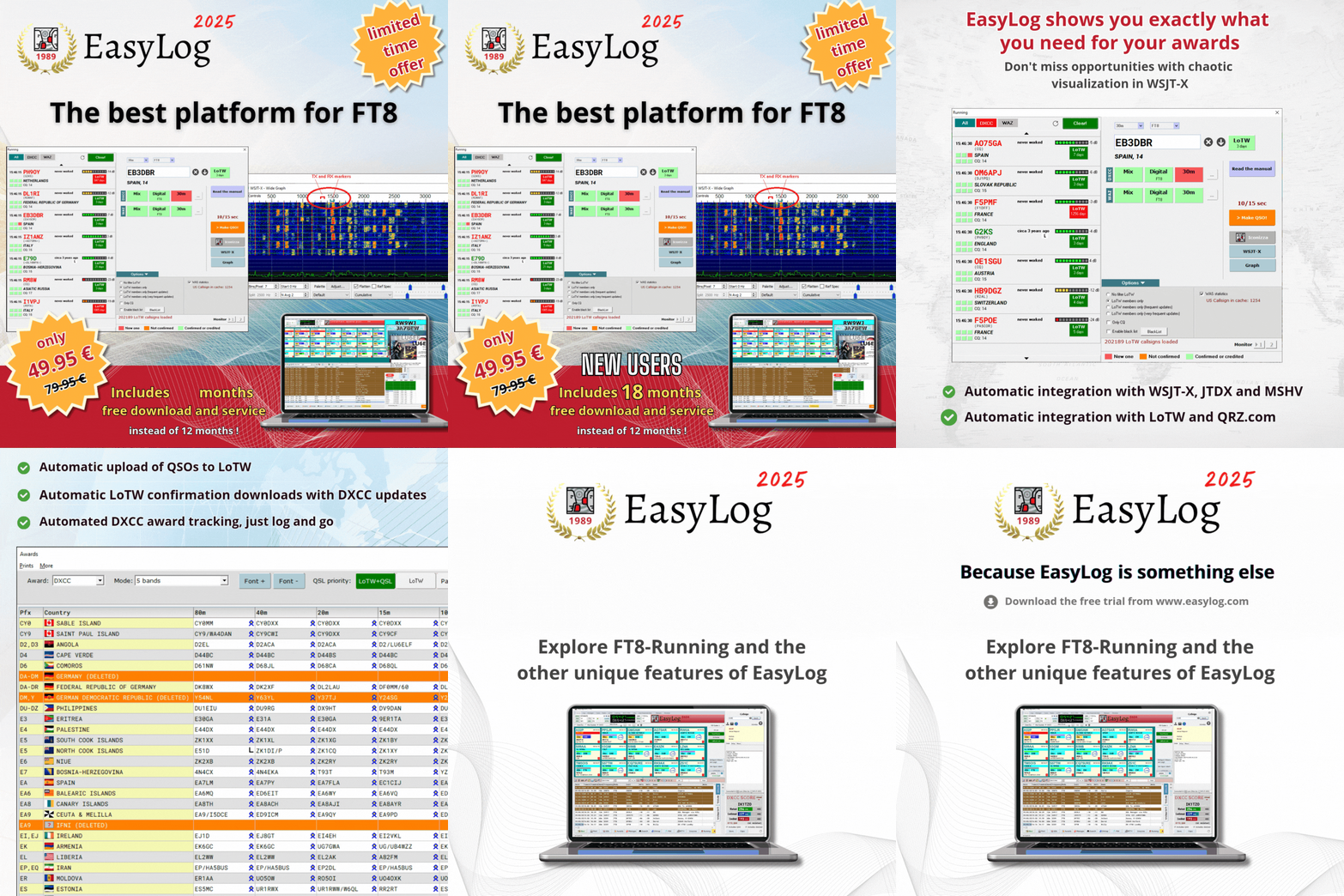 | | | | | |
| Purchase EasyLog today to get 18 months of free downloads instead of 12! Act fast! |
|
| | | Explore EasyLog, featuring top-notch Diploma management, seamless FT8/FT4 integration with LoTW, and much more. Enjoy 12 months of free downloads and unique services. Plus, our priority technical support ensures you're never left on your own. |  | | | | | | | Benefit from an additional 12 months of complimentary updates for new versions and related services: Manager, DXCC and CHECK (country recognition engine), diploma updates, exclusive Facebook group, and priority tech support service. | | | | | | |  | | | | | |
| | |
|
|
|---|
|
| | Tips & Tricks | | | | | EasyLog includes some ready-to-use DX-Cluster nodes, select your preferred one (1) and click to connect or if already connected click the STOP button on the left of the list, choose a node and click the connect button. EasyLog will remember your choice and if you enable auto connection it will automatically connect the DX-Cluster at startup. | | | | | | | | | 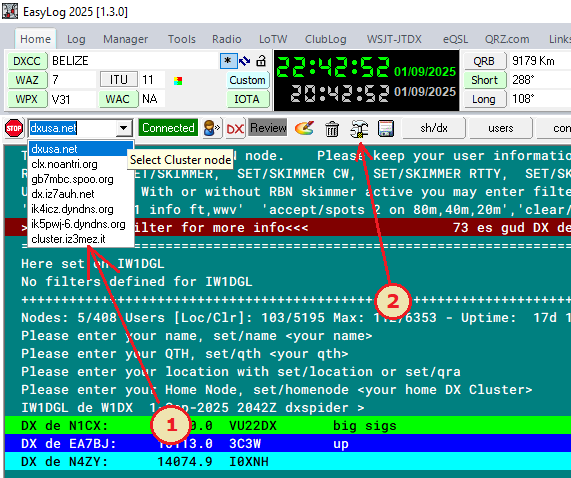 | | | | | |
| | | It is possible to customize the list of nodes with your favorites and/or remove existing ones by clicking the configuration icon (2) | | | | | | | | | 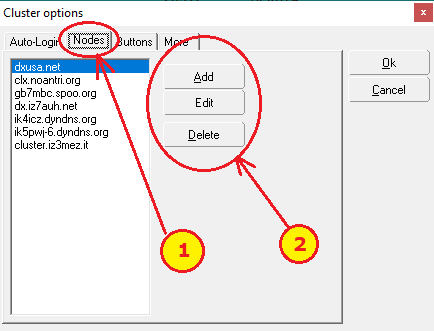 | | | | | |
| Select the Nodes tab (1) and use the buttons on the right (2) to add, modify, or delete a node. |
|
| | | How to activate auto-connection | | | | | | | | | 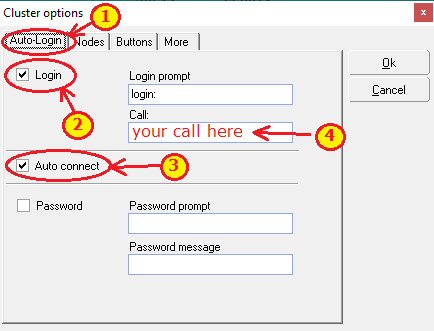 | | | | | |
| From the configuration window of the dx-cluster, by clicking on tab 1 Auto-login (figure 3 point 1.) then enable the check on Login (2.) and Auto Connect (3.) finally type your call sign in the input field (4.) and confirm by clicking the OK button | When EasyLog begins or a new connection is made, it will automatically send your name in reply to the Login request. Your name will appear on the dx-cluster with other connected users. | Modify the shortcut keys for the dx-cluster | EasyLog, above the dx-cluster toolbar (visible by clicking TCP Cluster1/2 provides 10 programmable keys with preferred dx-cluster commands editable from the dx-cluster configuration window by clicking on the Buttons tab. | | | | | | | 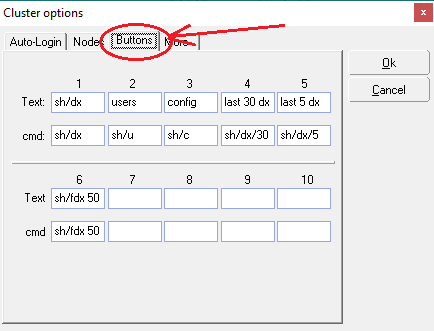 | | | | | |
| | |
|
|
|---|
|
| | Do you want to send us news about your DX activities? Don't hesitate to contact us at support@easylog.com, we will publish them in the next newsletter. | | | I am very grateful to the EASYLOG team, Pietro this spring then Franco before the summer and yesterday afternoon (Sunday - ed.) for their kindness and unlimited availability in solving a problem with my EASYLOG related to my PC.
Thank you Franco and Pietro. Greetings to the whole group
73' Alberto IK4HPU | | | Congratulations again on the development you have done. You were ahead 30 years ago and even now you are no less.
You are part of my Ham Life, since on that log there are my first QSO EME. Now I've come back and seeing what you are doing we will still make a long way together.
73’s de Dario IK2TPX |
|
|
|---|
|
 | DX-Pedition, news and activities from around the world. | | | | | | | | | 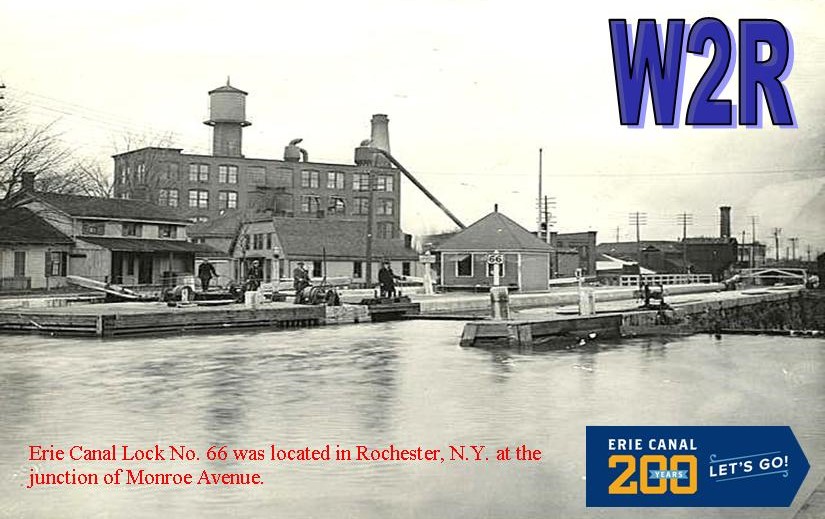 | | | | | |
| 📻 Commemorative Station W2R In the month of September 2025, the ROC-HAM Radio Network celebrates the 200th anniversary of the Erie Canal with the special station W2R. The activity will be operated from Rochester, NY, from September 1 to 29, 2025, mainly on the 20m and 40m bands. All confirmed QSOs will receive a special commemorative QSL. A unique opportunity to remember a historical event and add a special contact to your log! |
|
| | | | | IARU Region 1 / RSGB SSB Field Day — the great portable field day in SSB takes place on 6–7 September (UTC). Many /P stations are expected from 160 to 10 meters.
Contest Calendar
LA Contest Club
World Radio League | | | | | | | | | 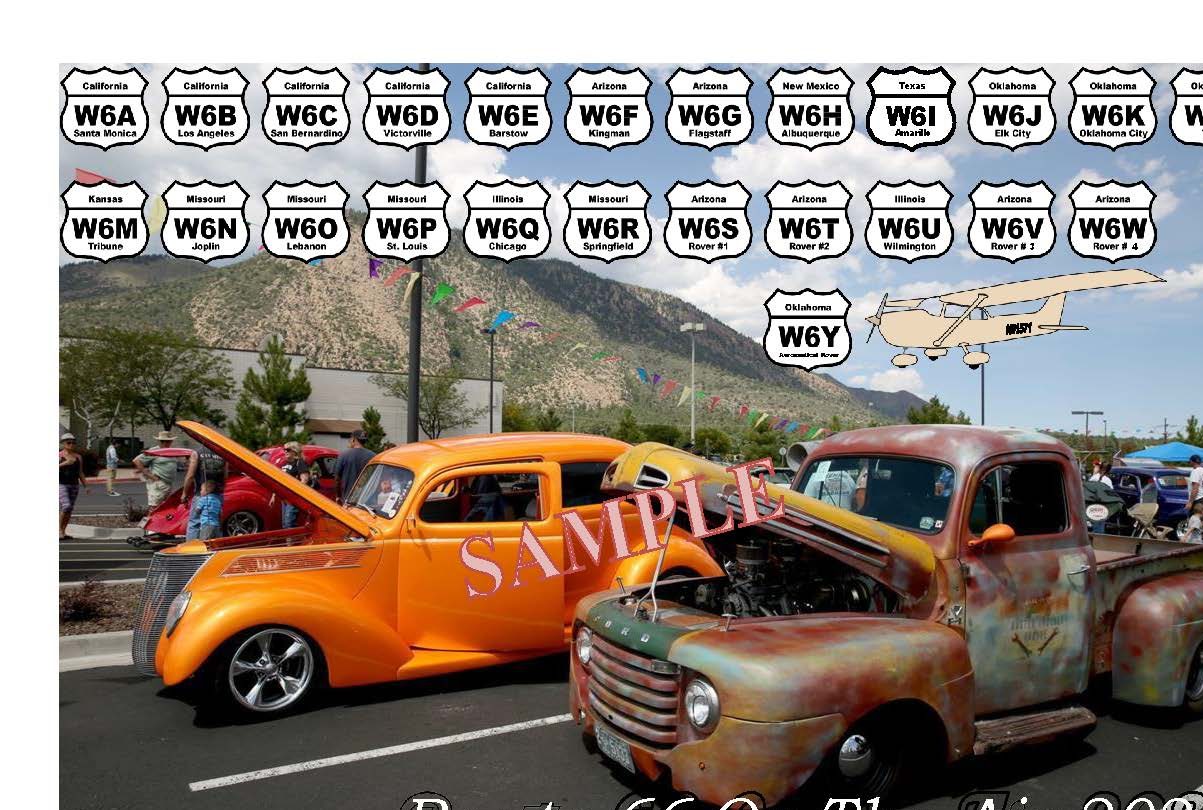 | | | | | |
| | | | |  | VK2/SP9FIH, LORD HOWE ISLAND From August 27 to September 13
IOTA: OC-004 in SSB, FT8 on HF bands QSL via LoTW |
|
|
|---|
|
| | | |  | Our support certainly doesn't stop for the holidays... | If you are a registered user and need help, or if you are new and need information about EasyLog, do not hesitate to contact our customer support. support@easylog.com | | | | |
|
|
|---|
| | Do you own a business and need a partner for your tech challenges? Our team provides customized software solutions. Submit your projects for evaluation, and we will prioritize your satisfaction with the same precision and dedication that went into creating EasyLog. | | |
|
|
|---|
|
Stay in touch, follow us, and like our page. |
| | Center Images | | | | | You are receiving this newsletter because you are either a registered user or have downloaded the trial version or the eBook. |
| Microware Software © 1989-2025 - All rights reserved |
|
|
|
|---|
|
|
|