| |  |
|
|
|
|---|
|
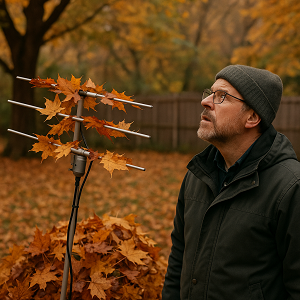
| | A Message from the Founders | Dear readers Autumn is ideal for outdoor radio listening: the dappled light through leaves, the forest's quiet, and the thrill of receiving distant signals. This embodies the essence of portable activations and the Parks On The Air (POTA) project, combining radio with nature into a one-of-a-kind adventure. As you prepare for your next outing, remember EasyLog: your perfect partner for tracking QSOs even amid trees and breezes. With the Running feature, you can log each connection in real-time, capturing station details, previous contacts, QSL status, and notes, without missing a beat. Bring just the essentials: radio, antenna, power bank, and a laptop with EasyLog. Each activation becomes an act of freedom, where technology and nature meet, and waves connect people and landscapes.
This autumn, let's embrace the airwaves with passion and a free spirit,
Good DX!
IK1TZO Pietro and IW1DGL Franco
|
|
| | | 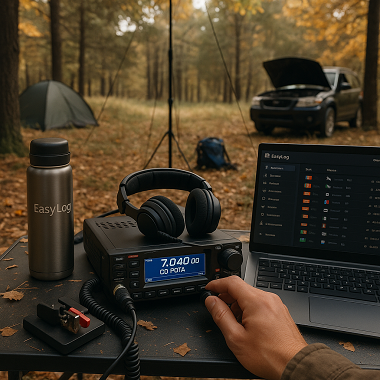 | A radio, a thermos of coffee, and the breeze among the trees - to truly connect, even without social media. -Field Operator |
| | |
|
|
|---|
| | Latest News | Update on the development of EasyLog |  | | |
| The ClubLog.org site has updated its remote access methods. Due to recent changes on the ClubLog.org site implemented for security and traffic management, the upload option in the EasyLog ClubLog menu is no longer functional. These updates necessitated an EasyLog modification for accessing the site remotely, now requiring an Application Password generated through your ClubLog.org account. In last week's Tip&Tricks, we demonstrated how to create this password. The new APIs and the ClubLog.org security feature, which temporarily suspends accounts for an hour after credential errors, prompted us to revamp the communication interface. After extensive testing and hundreds of upload trials, we are pleased to confirm that the interface is now fully operational. It functions on a parallel thread for file transfers, even large ones, ensuring no slowdown in EasyLog. We will release the new version over the weekend. We are also working to introduce a new ClubLog feature, aiming to include it in this release, or shortly thereafter. |
|
| | | New Reserved Area and Updates on the EasyLog.com Website | We're continuously enhancing the new Reserved Area, ensuring it's seamlessly integrated with our website and your account to significantly improve and simplify your user experience. | We're dedicated to enhancing your website experience by optimizing content, clarifying notifications, and improving our integration with EasyLog for greater efficiency. | We are dedicated to enhancing your experience with our site by optimizing content, clarifying notifications, and improving the efficiency of our EasyLog integration. | | | Newsletter on the easylog.com website | We've included 10 additional issues of past Newsletters The first 52 issues are now accessible on the Newsletter page. We will keep updating with the rest of the Newsletters. | 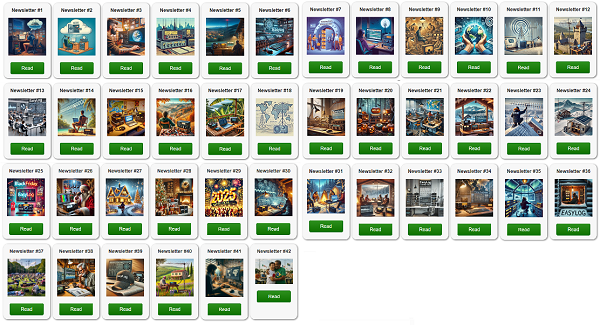 | | | | | EasyLog Newsletters Yearbook | We're preparing something special for you.After a year of newsletters filled with sharing, advice, and tips on EasyLog, many of you have asked for a convenient way to save and print this information. That's why we're creating the first EasyLog Yearbook — a splendid collection of useful content, revised, updated, and enriched, available in a easily printable PDF format for clear and enjoyable reading. 💡 At a very affordable price, this practical tool is ideal for those who want our advice readily accessible. Our newsletters will continue to be available weekly, free of charge, via email and on our website for all subscribers. |
|
|
|---|
|
| | Our amateur radio eBooks are structured to be easy to read and enjoyable. They cover concepts with examples and illustrations that everyone can understand. | | |
|
|
|---|
|
| | | | | |  | | | | | |
| | |
|
| | | | | | | | | | | All our ebooks, offered in 4 languages, are crafted in an informative manner ideal for beginners and experts alike. | | | | | |
| | |
|
|
|---|
|
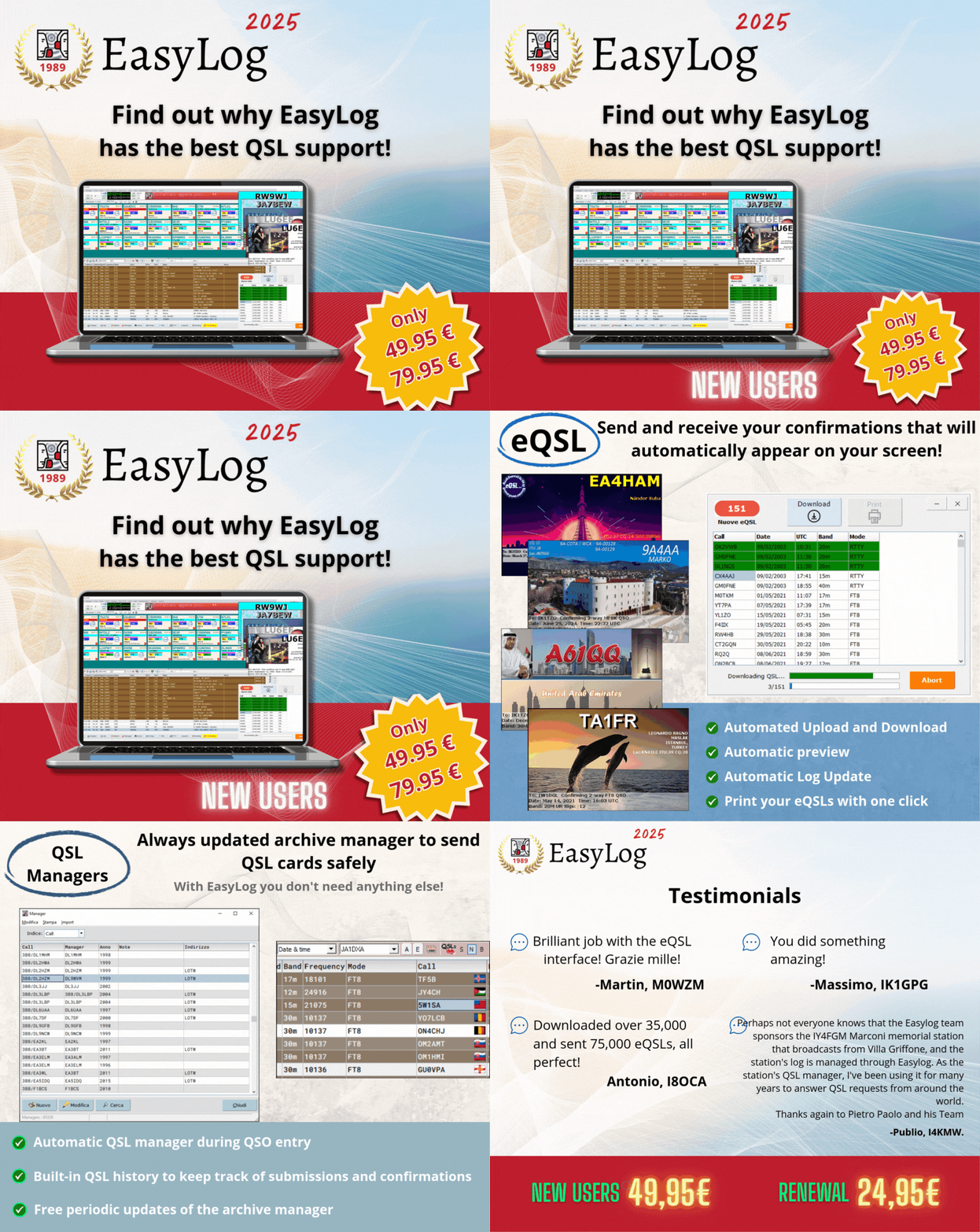
Not signed up yet? Find out why EasyLog offers the best QSL support! |
|
|
|---|
|
| | | | | |  | | | | | |
|
|
|
|---|
|
The new release 2025.1.3.0 is being distributed | Version 2025.1.3.0 is now accessible in the Reserved Area for users with active support. Discover the latest features and improvements: ✅ Improved DX-Alert section with additional selection options
✅ DX-Cluster now provides expanded LoTW details directly in the spot
✅ Introduced 28 new flags, including those for removed entities ✅ A comprehensive list of all enhancements, new features, and fixed issues, can be found during the installation of the new release or in the \el5\readme.* file in the EasyLog installation directory. Upgrade now or buy EasyLog to experience all the latest features we've added along with those in the new release. | | | | | | |  | | | | | |
| Purchase EasyLog today to get 18 months of free downloads instead of 12! Act fast! |
|
| Purchase now and get 18 months of free support (rather than 12) |  | Explore EasyLog, featuring top-notch Diploma management, seamless FT8/FT4 integration with LoTW, and much more. Enjoy 12 months of free downloads and unique services. Plus, our priority technical support ensures you're never left on your own. | | | | | | | Benefit from an additional 12 months of complimentary updates for new versions and related services: Manager, DXCC and CHECK (country recognition engine), diploma updates, exclusive Facebook group, and priority tech support service. | | | | | | |  | | | | | |
| | |
|
|
|---|
|
| | Tips & Tricks | | | How to Divide a Log into Two Separate Logs | An EasyLog user, who maintained a single Log for QSOs made from their main QTH in Sweden and some made portable in Norway, marking them in the notes field, asked us how to create two separate Logs from the combined entries. | The solution is to create two different Logs, one containing only QSOs from Sweden, e.g., SWEDEN, and the other for QSOs made in /LA, e.g., NORWAY. | | | | | | | 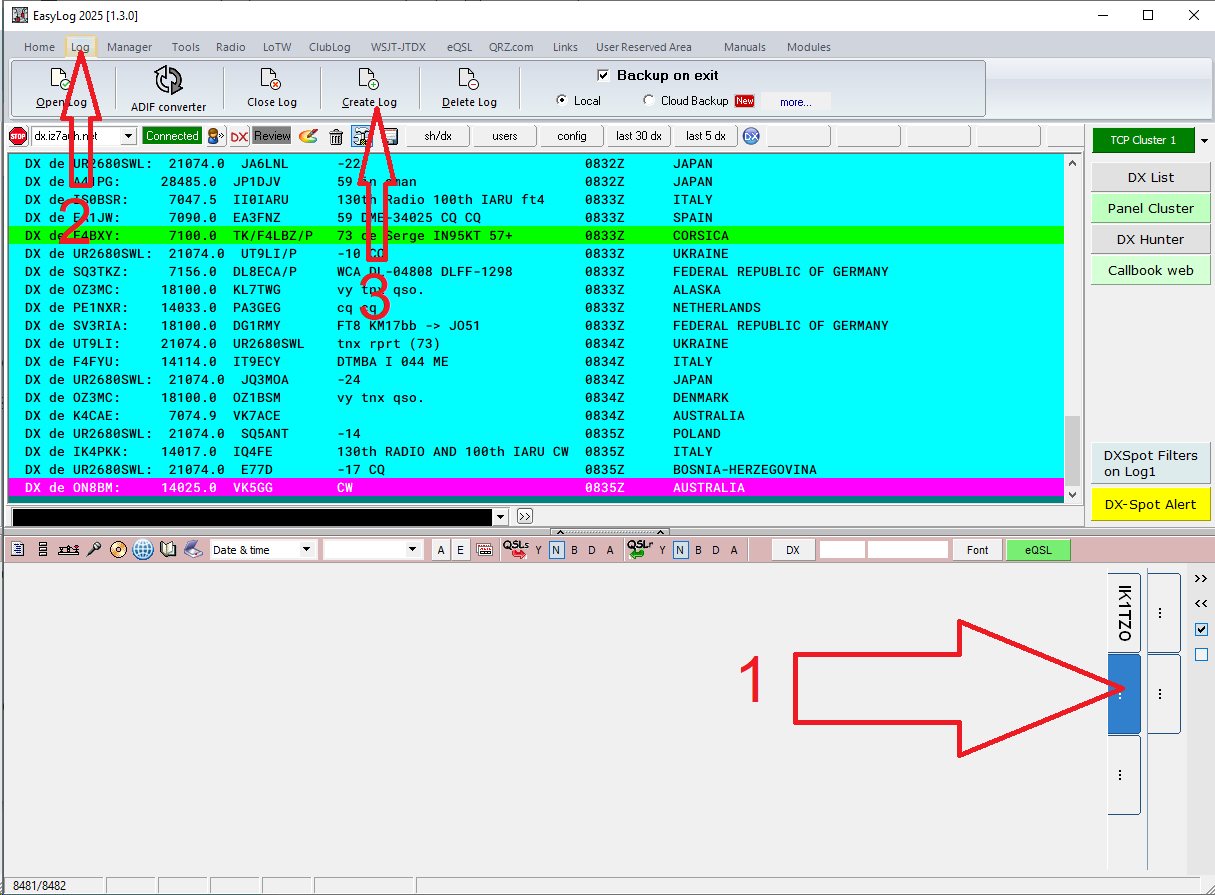 | | | | | |
| - Choose an available tab where the new Log will be opened.
- Access the Log menu
- Click Create Log and enter Norway with your LA/<name> as the Log name
- The new log named NORWAY will be created and will initially be empty
| You are now ready to proceed with the export | We aim to export only the QSO entries from the Log that include 'NORWAY' in the notes field. - First, select the first tab (the 'source' Log from which we want to copy the QSO)
- Next, open the Print section (the second button from the bottom left in the main window of EasyLog)
- Then, click the Copy button
| | | | | | | 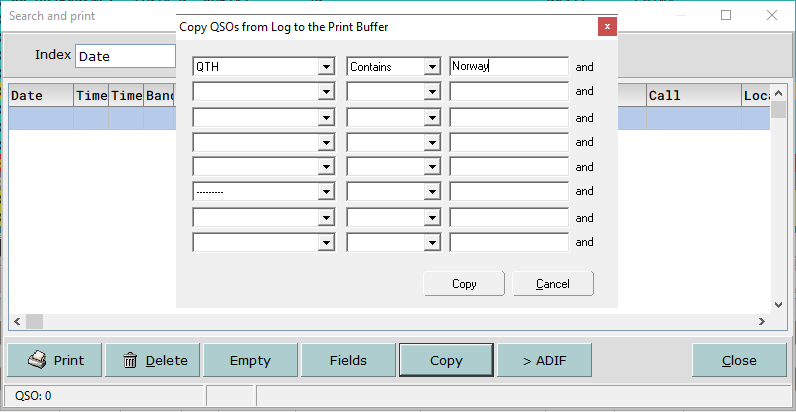 | | | | | |
| Establish the QSO copy condition today | - Select the field NOTE from the first dropdown list
- Choose the condition ‘Contains’ from the second dropdown list
- In the edit field on the right, type the content for the condition field: 'Norway'
|
|
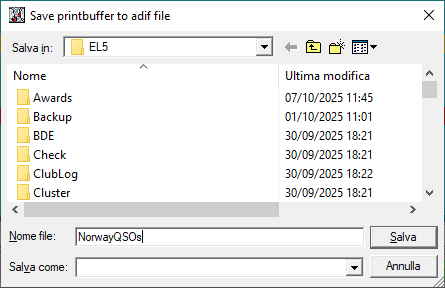
| | | - Finally, click the Copy button and wait until all matching QSOs are copied.
- Next, press the >ADIF button to save the resulting ADIF file in a folder like C:\EL5
| | | | | | |  | | | | | |
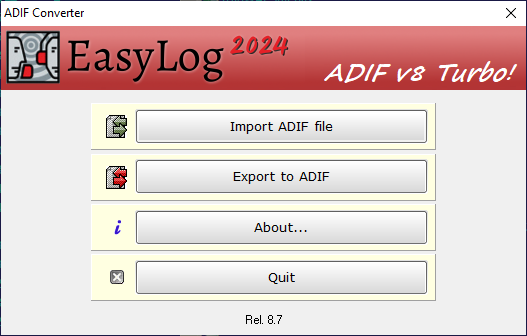
| Import the ADIF File to Create a New Log To import the newly generated ADIF file and create a new Log, use ADIFConverter, a utility included in EasyLog. - Close EasyLog
- Launch ADIF Converter from the EasyLog icon group or directly from C:\EL5\adif_el5.exe
| | | | | | | | |  | | | | | |
| Click on the first button at the top Import ADIF file and select the previously saved file. | | | | | | | 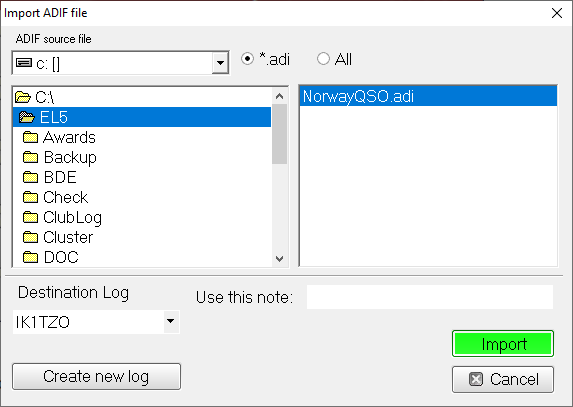 | | | | | |
| Choose the Target Log from the dropdown menu and click the green button to initiate the import. Once the import is complete, the Target Log (second tab) will display all QSOs with 'NORWAY' in the notes field. | Attention! The source log will still include all the QSOs, even those marked 'NORWAY'. To remove them, you can either delete them manually, or if there are too many, you can perform the export operation again. Create a new empty 'SWEDEN' log and set a condition from the source log: NOTE <> (not equal to) 'NORWAY'. This way, only QSOs without 'NORWAY' in the notes field will be copied into the SWEDEN file. As a result, you'll have two separate logs: SWEDEN and NORWAY, each with its own QSOs and independent award management. |
|
|
|---|
|
Do you want to send us news about your DX activities? Do not hesitate to contact us at support@easylog.com we will publish them in the next newsletter. |
|
|
|---|
|
| | | | | | | |  | | | | | |
| DX-Pedition: Global News and Activities. | | | | | | | | | 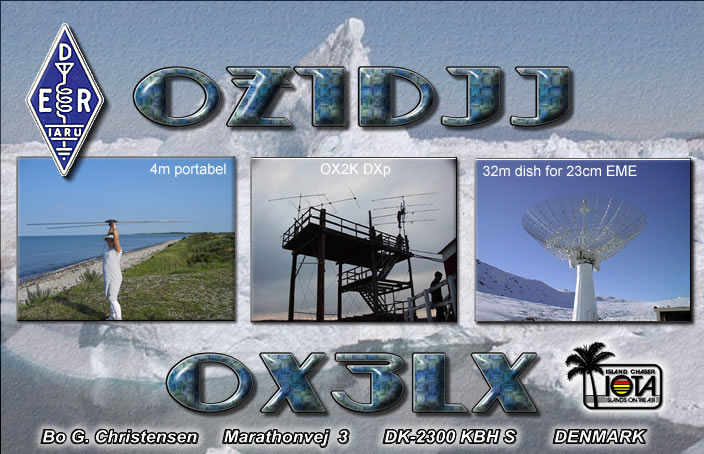 | | | | | |
| | |
|
| | | | | | |  | | | | | |
| XT2AW, BURKINA FASO From October 4 to 27 in CW, FT4, FT8, SSB in bands from 160 to 6m (including 60m) QSL via: M0OXO OQRS / LoTW https://www.qrz.com/db/XT2AW | | | | | | | | | 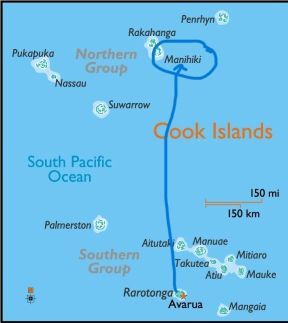 | | | | | |
| | |
|
|
|---|
|
| | | |  | Whether you're a registered user seeking assistance or a newcomer looking for details about EasyLog, feel free to reach out to our customer support. support@easylog.com | | | | |
|
|
|---|
| | Do you own a business and need a partner for your tech challenges? Our team provides customized software solutions. Submit your projects for evaluation, and we will prioritize your satisfaction with the same precision and dedication that went into creating EasyLog. | | |
|
|
|---|
|
Stay in touch, follow us, and like our page. |
| | Center Images | | | | | You are receiving this newsletter because you are either a registered user or have downloaded the trial version or the eBook. |
| Microware Software © 1989-2025 - All rights reserved |
|
|
|
|---|
|
|
|