| |  |
|
|
|
|---|
|
| | A Message from the Founders | Dear friends,
Black Friday at EasyLog continues all weekend!
Many of you have already seized the opportunity to renew your support, with some committing to more than a year to enjoy our lowest prices of the year. | If you haven't taken advantage yet, now is the perfect moment. This incredible offer ends on Monday | 👉 Act now to secure EasyLog or our e-books at the year's best price. Don't miss this opportunity while many others have already taken advantage of it.
73 and Good DX!
IK1TZO Pietro and IW1DGL Franco |
|
| | | 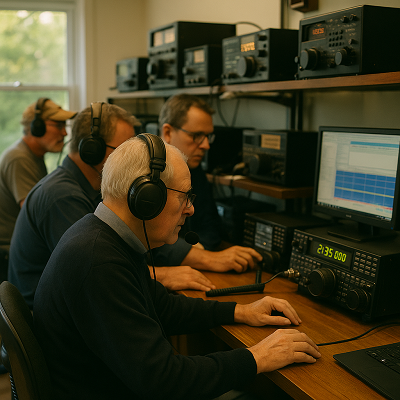 | | | When opportunities arise take advantage of them and enjoy the benefits. |
| | |
|
|
|---|
| | Latest News | Our Black Friday offers continue | 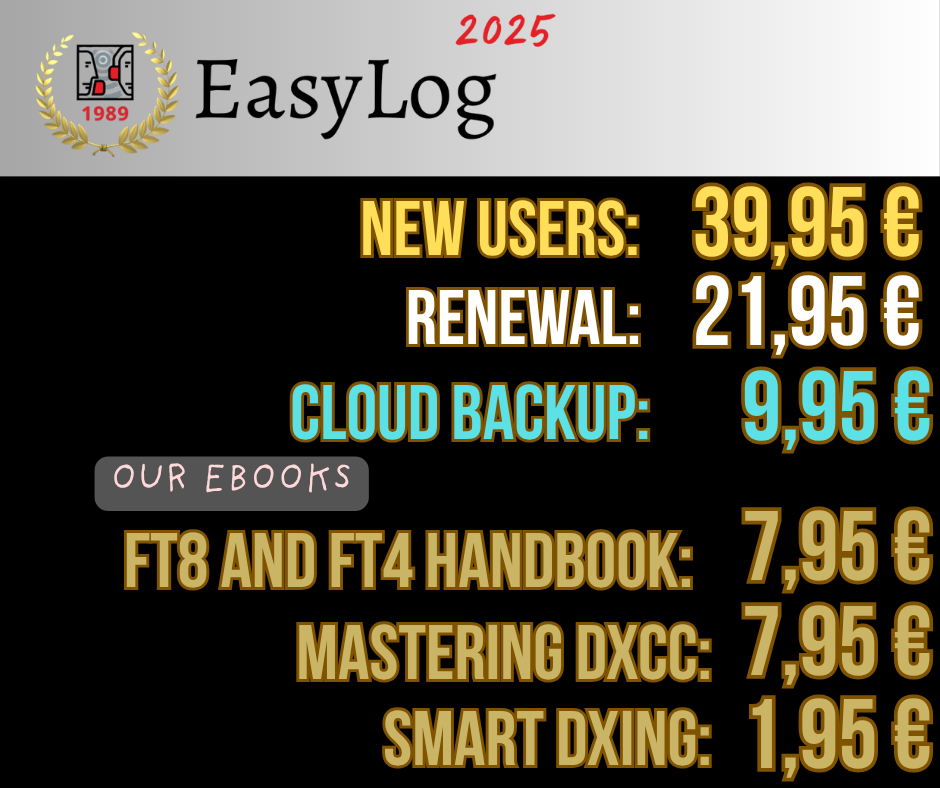 | Thank you for the amazing response to our Black Friday offers! Many are taking this opportunity to renew, purchase our ebooks, and explore EasyLog Cloud Backup at 50% off.
The promotions are still available for a few more days: seize the chance while you can! | | | | | We are thrilled to announce that our FT8 and FT4 manual has become a best-seller, continuing to achieve impressive sales. We sincerely thank all of you for your appreciation and daily support; your enthusiasm is our greatest reward. |
|
| We are preparing a new Release! | We are excited to announce that we are working on a new Christmas release. We'll share more details as soon as they're available. | | | The new HamRadio 2026 calendar is available for download | | | | | | | 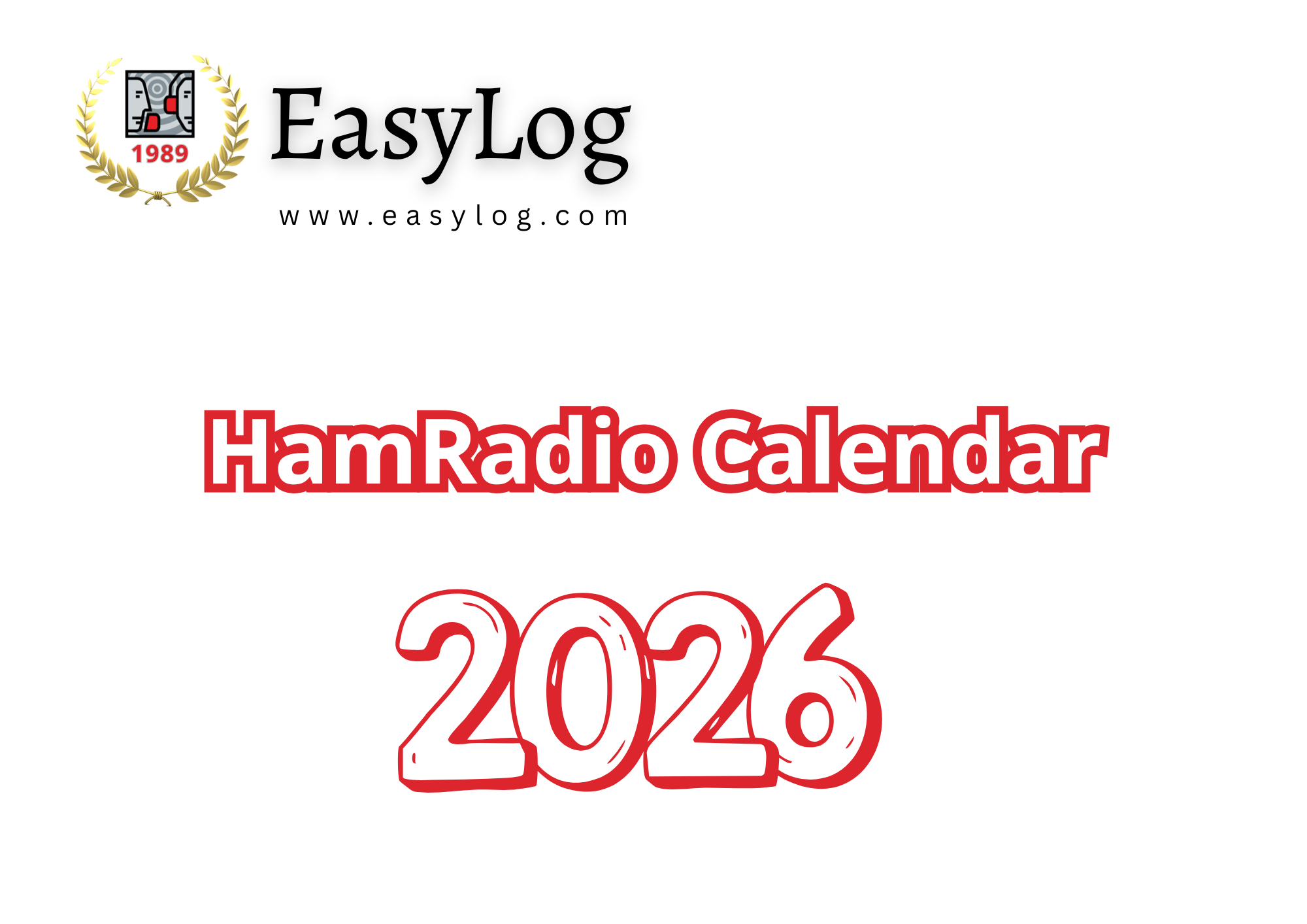 | | | | | |
| | | Always free and easily printable. Prepare for the new radio year in style! The EasyLog Calendar 2026 has arrived—a colorful edition full of team spirit and radio adventures around the world. You'll find:
🎙️ The major international contests not to be missed.
📻 The most followed amateur radio events.
🌍 Exclusive images celebrating our common passion.
🗓️ And of course, the EasyLog touch that makes every month unique.
An indispensable companion for planning your activities, following your DX goals, or simply decorating your station with a bit of inspiration. |
|
|
|---|
|
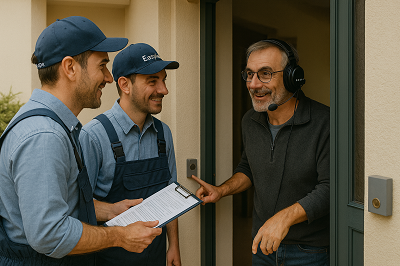
| | Explore The Free Zero Worries Service! | Considering a switch to EasyLog to enjoy its innovative design and outstanding features but need assistance? The Zero Worries Service, free until the end of the year, is just what you need! |
|
|
|---|
|
| | | | | |  | | | | | |
|
|
| - Uncertain about exporting from your Log to EasyLog?
- Need assistance with installation?
- We're here to help at no extra cost, just reach out to us!
|
|
|
|---|
|
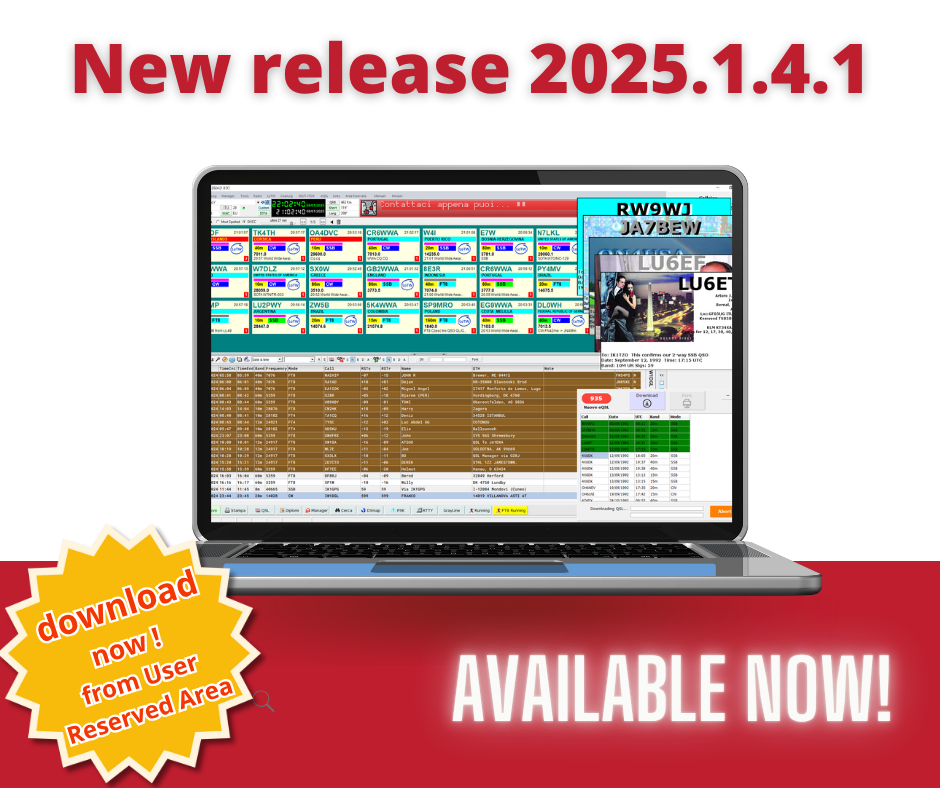
A new release 2025.1.4.1 is now available in your Reserved Area and ready for download. |
|  | | |
|
|
|
|---|
|
| | | | | |  | | | | | |
|
|
| Major features of the 2025.1.4.0 and 2025.1.4.1 releases include integration with the new official ClubLog APIs, completion of flags for all countries, including those deleted, and internal optimizations to speed up shutdown processes. |
|
|
|---|
|
The new maintenance release 2025.1.4.1 is available, which, in addition to the new features of 2025.1.4.0, fixes an issue unintentionally introduced with 2025.1.4.0 during the creation of new Logs. We are introducing new features that require structural changes, and by mistake, the new Log structure was included in the distribution. |
|
| The new release is now available for free to all users with active support. If your support has expired, renew to access this release and future updates for the next 12 months! Log in to your reserved area to download the new release now | | |
|
|
|---|
|
Has your support expired, or are you thinking about becoming a new user? Now is the perfect time to explore our Black Friday discounts! 🎃 🎃 🎃
Act fast! These discounts are only available for a limited time! |
|
|
|
|---|
|
| | | | | | 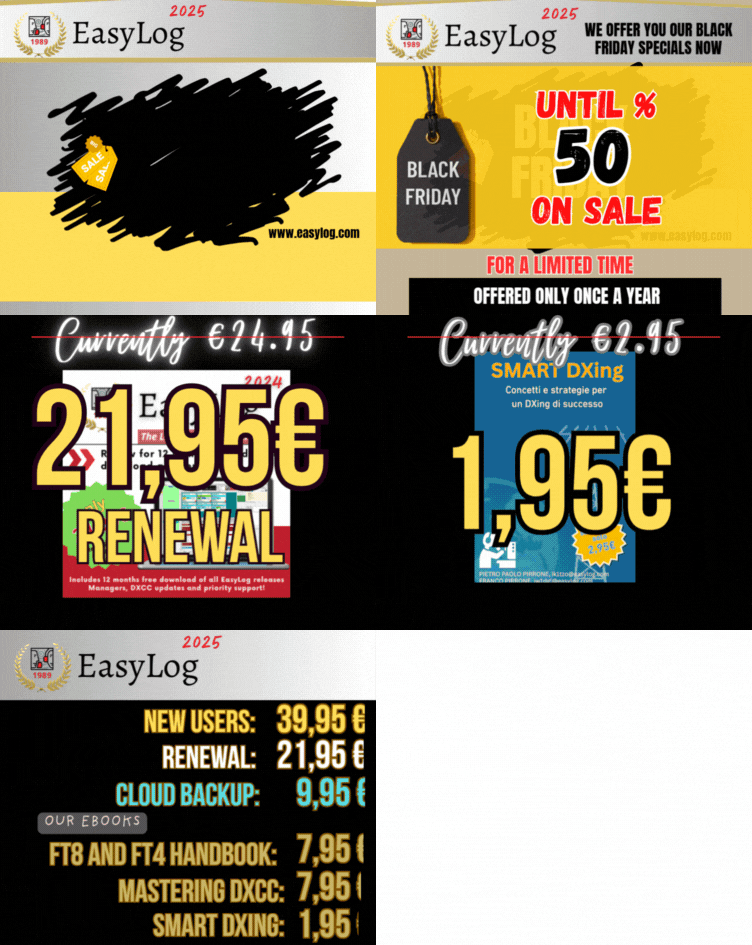 | | | | | |
| Renew EasyLog with the Black Friday Offer
Only €21.95 instead of €24.95
By renewing your license, you'll receive 12 more months of free updates to new versions and services like Manager, DXCC, and CHECK (country recognition engine), as well as diploma updates and much more. Renewal also grants you access to our exclusive Facebook group and priority technical support — because when you choose EasyLog, you choose to stay ahead! | | |
|
| | | | | | | | | 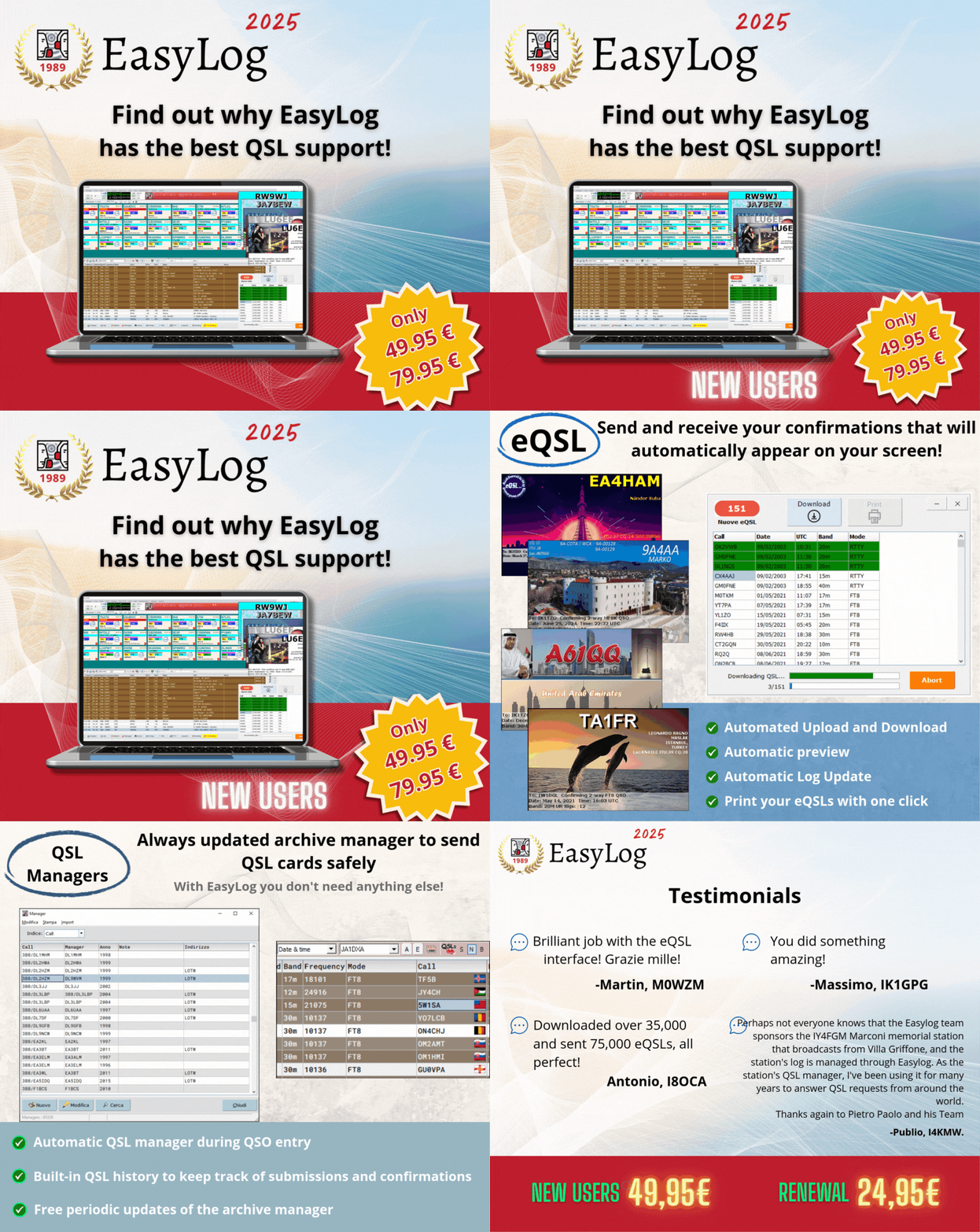 | | | | | |
| Purchase EasyLog today and pay just €39.95 instead of €49.95 | EasyLog isn't just software; it's a true adventure companion for every radio amateur. With its unbeatable Award management, integrated FT8/FT4 support with LoTW, and many exclusive features, it simplifies your experience and makes every QSO enjoyable. Moreover, enjoy 18 months of free downloads and constant technical support — because with EasyLog, you're never alone. | | |
|
|
|---|
|
Our ebooks are also on sale Black Friday! 🎃 🎃 🎃 starting from just €1.95 | Written with passion, they are crafted for radio lovers who want to learn while enjoying themselves. Every page is clear, engaging, and brimming with examples that make reading simpler and more enjoyable. Discover many little tricks, curiosities, and useful ideas to enhance your experience as a radio enthusiast — and perhaps even rediscover the joy of reading something made just for you. | | |
|
|
|---|
|
| | | | | |  | | | | | |
|
|
| | | | | | | 📢 Smart DX-Ing 1.95€ 📢 Master the DXCC 7.95€ 📢 FT8 and FT4 Manual 7.95€
Only during Black Friday! | | | | | |
| | | | | | | | | For further details, visit our ebook page by clicking on the image above or using this link: visit the ebook page | | | | | |
|
|
|
|---|
|
| | Tips & Tricks | | | Tips for Configuring and Using the DX-Cluster | This week, Tips & Tricks focus on EasyLog's DX-Cluster support, benefiting all users and welcoming the many new members joining our community. | Unique in its kind, EasyLog offers three DX-Cluster display modes: DX-List, DX-Panel, and DX-Hunter, each with its own distinctive features. | We encourage you to review the Quick Guide for an overview of the three modes and to discover their unique features. | | | | | | | | | 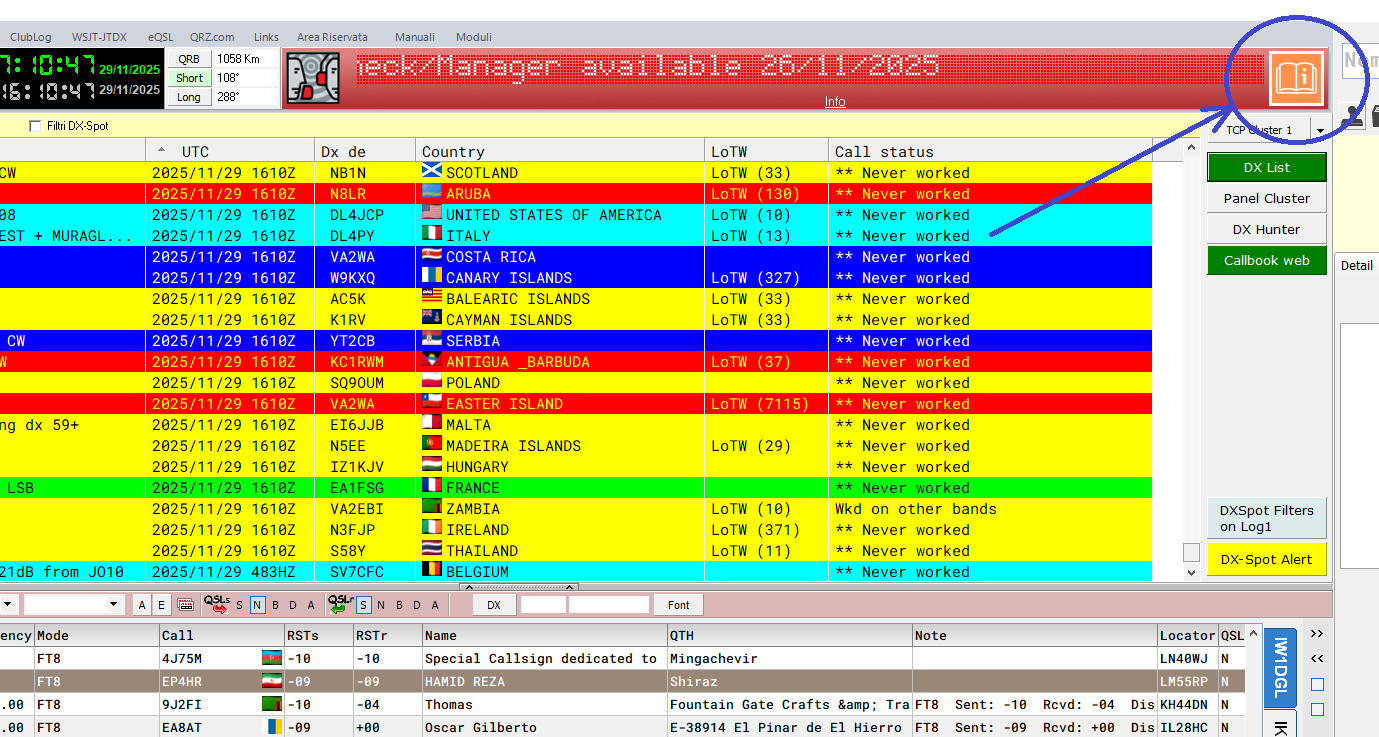 | | | | | |
| Click the orange button at the top right to open the Quick Guide. | Connection and Auto-Connection | | | | | | | | | 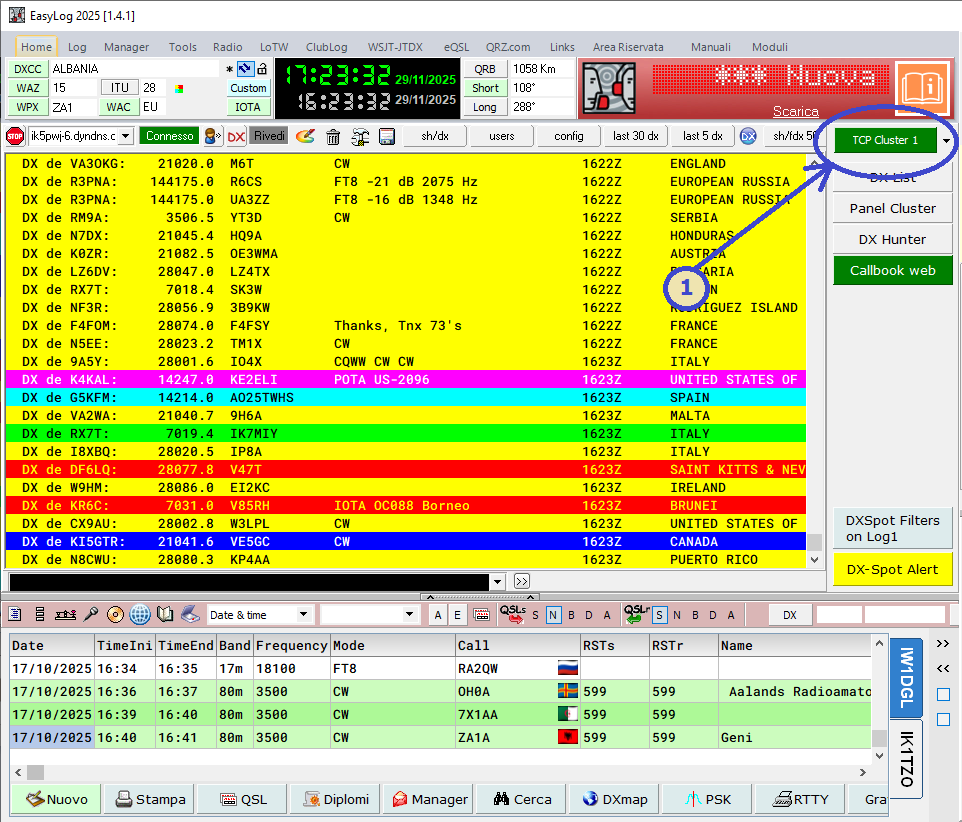 | | | | | |
| To set up the DX-Cluster, click the green TCP Cluster 1 button located at the top right corner. | | | | | | | | | 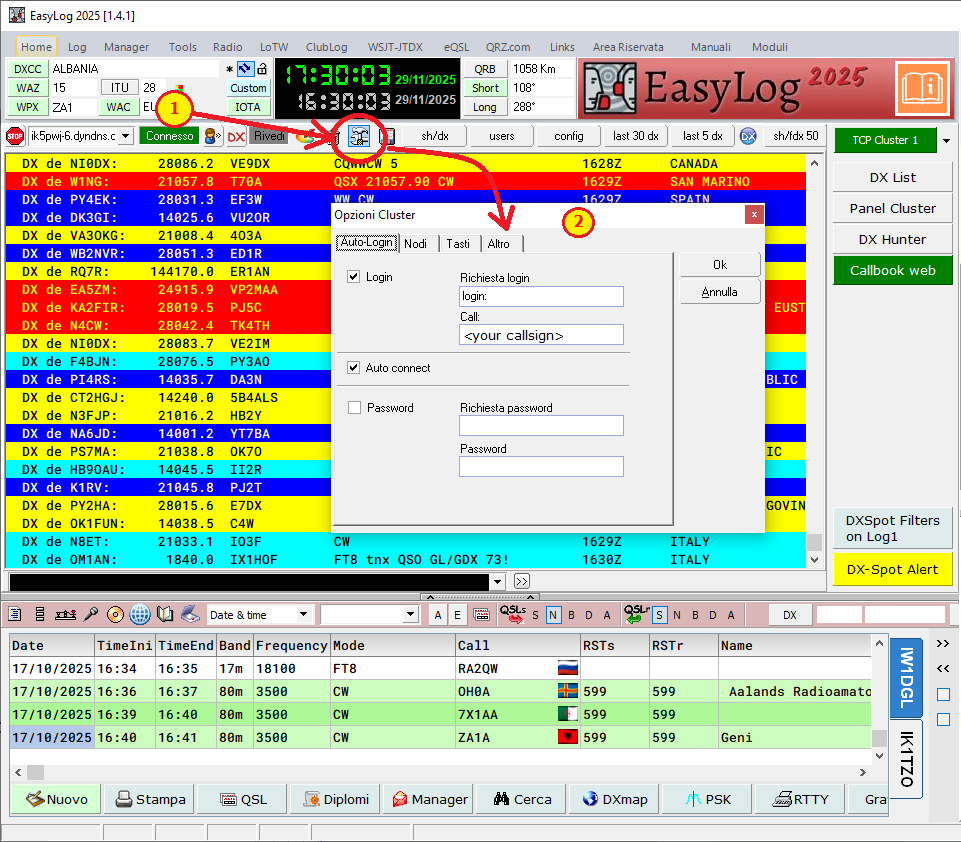 | | | | | |
| Click the configuration button (1) to open the DX-Cluster configuration window (2). Next, select the AutoLogin tab and check both Login and AutoConnect. Enter Login: in the first field and your callsign in the Call field. Finally, click the ok button to save the configuration. |
|
| | | From now on, whenever it starts, EasyLog will automatically connect to the selected DX-Cluster node at the top right, providing your callsign as the Login information. | | | | | EasyLog comes preconfigured with several cluster nodes recognized for their stability. You can choose a node from the dropdown list in the top left of the DX-Cluster area or add new nodes through the Nodes tab in the DX-Cluster configuration window | | | | | | | | | 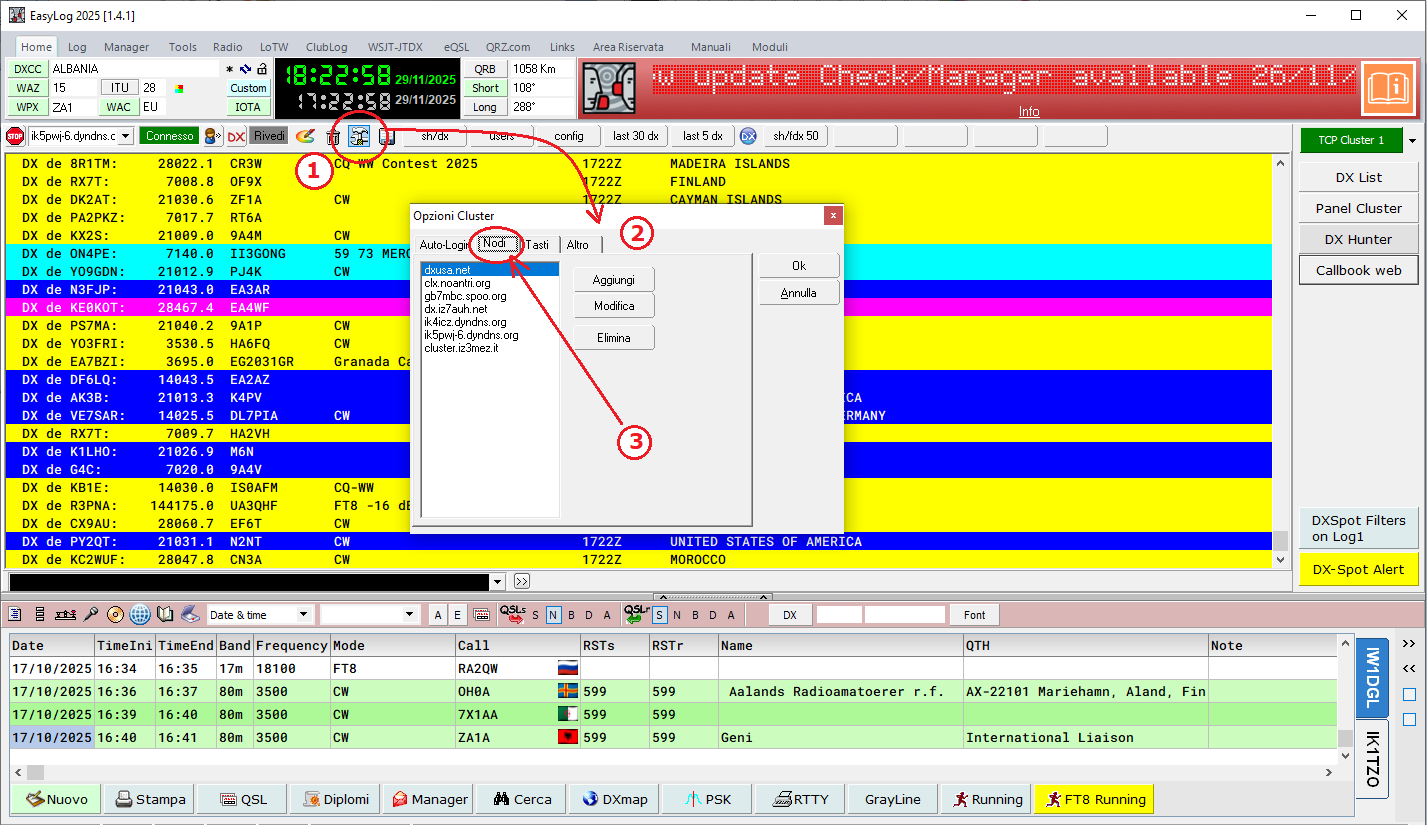 | | | | | |
| Click the DX-Cluster configuration button (1) to open the configuration window (2). Then, click the Nodes tab (3). In this window, you can add, modify, and delete the nodes displayed in the dropdown list at the top left. | | | | | | | | | 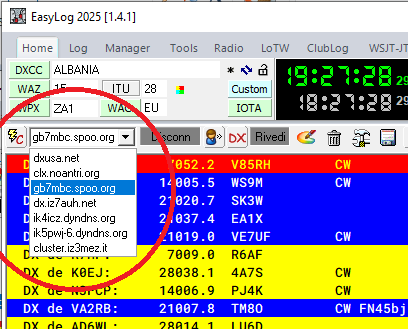 | | | | | |
| | | Everything is now set up correctly, and you can choose your preferred DX-Cluster display mode. In the figure below, you'll see the impressive Panel Cluster, an exclusive feature of EasyLog. It displays repeated spots in a single block and offers sorting options such as chronological order, most spotted, or by DXCC, with new ones prioritized. | | | | | | | | | | | 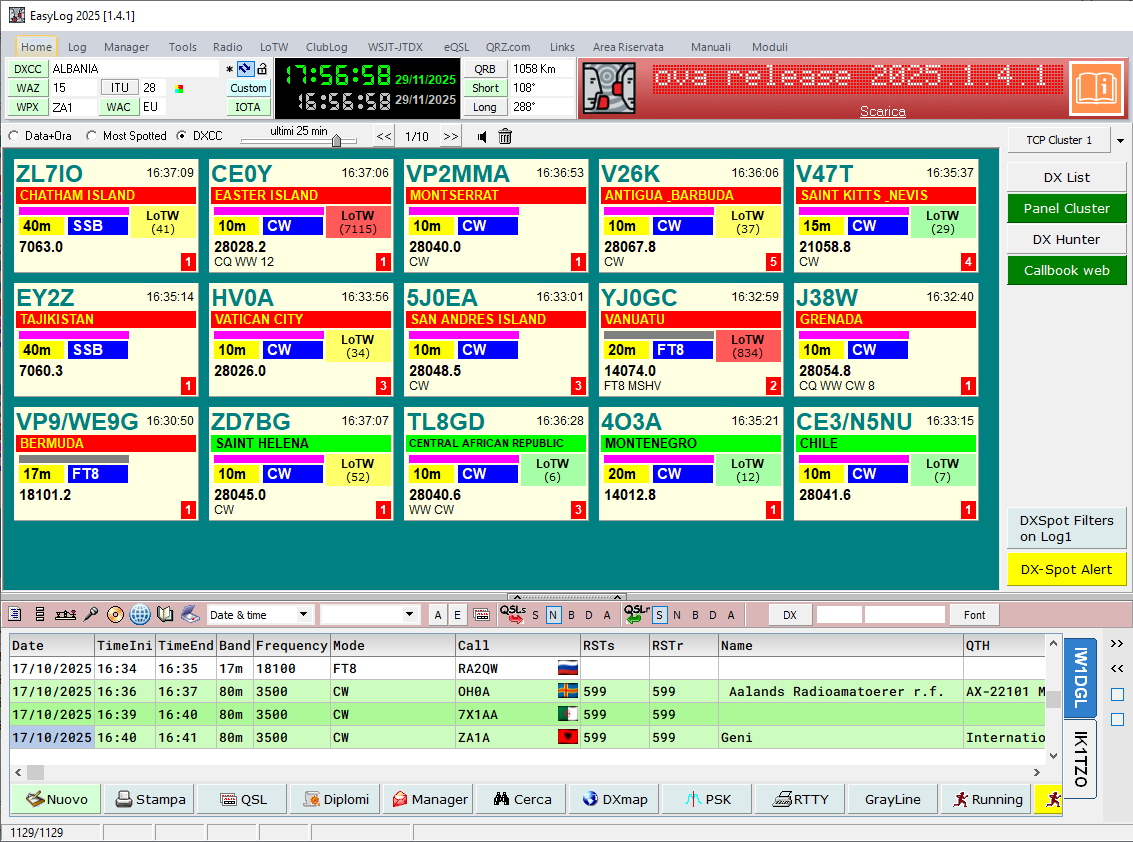 | | | | | |
| To learn more about the DX-Cluster and other key features like Radio support and FT8 Running, please consult the Quick Guide |
|
|
|---|
|
Do you want to send us news about your DX activities? Do not hesitate to contact us at support@easylog.com we will publish them in the next newsletter. |
|
|
|---|
|
| | | | | | | |  | | | | | |
| DX-Pedition, news and activities from around the world. | | |  | A52AA, BHUTAN From November 25 to Dec. 5 Most Wanted Position #28 in SSB in the bands from 40m to 10m (possible also on 160/80) QSL via: AB1F, LoTW https://www.qrz.com/db/A52AA |
|
| | | | | | | | |  | | | | | |
| XU7RRC, CAMBODIA from November 25 to Dec. 3 IOTA: AS-133 Most Wanted Position #83 in CW, SSB, FT8 on bands from 80m to 10m QSL via: RZ3EC, LoTW https://www.qrz.com/db/XU7RRC | | | | | | | | |  | | | | | |
| YJ0GC, VANUATU From November 23 to Dec. 5 IOTA: OC-035, Efate Island in CW, SSB, FT4, FT8 on HF bands - QSL via: Club Log OQRS (or manager YJ0QC) https://www.qrz.com/db/YJ0GC |
|
|
|---|
|
| | | |  | Whether you're a registered user seeking assistance or a newcomer looking for details about EasyLog, feel free to reach out to our customer support. support@easylog.com | | | | |
|
|
|---|
Stay in touch, follow us, and like our page. |
| | Center Images | | | | | You are receiving this newsletter because you are either a registered user or have downloaded the trial version or the eBook. |
| Microware Software © 1989-2025 - All rights reserved |
|
|
|
|---|
|
|
|