| |
 |
|
|
|
|
|
|
|
A word from the founders
|
Dear readers,
As we present the 15th edition of our newsletter, we feel grateful to continue this journey with you. Each edition is a simple yet meaningful way for us to share the fascinating world of amateur radio, technology, and the human stories that weave us together.
Whether you are an experienced operator or someone just beginning to explore, we hope this newsletter provides inspiration and insight to help you grow and connect.
We deeply appreciate your support and engagement. Together, we’re not just transmitting signals across borders; we’re quietly building bridges of understanding, one conversation at a time.
With warm regards and our best wishes,
Piero and Franco Pirrone,
EasyLog Founders
|
|
|
| |
 |
|
|
The more I delve into the study of radio waves, the more I am convinced that we are only at the dawn of a new era in communications.
– Guglielmo Marconi
|
|
|
|
|
|
| |
|
Latest News
|
|
|
The ARRL LoTW website has been down recently. To prevent timeouts when starting EasyLog, you can temporarily disable the autologin feature in the LoTW settings dialog box. We hope the LoTW service will return to normal soon.
|
|
|
Users have reported odd behavior from FT8-Running with WSJT-X when clicking the Make QSO button. The QSO doesn't start as expected. This is likely a bug in the latest WSJT-X versions, but there's an easy workaround detailed in the Tips & Tricks section of this Newsletter. JTDX is unaffected by this issue.
|
|
|
We are diligently working on launching the new eQSL full automatic support, and we aim to share the positive news in the next two newsletters. Meanwhile, we are also updating some areas, such as the Alert section, to incorporate valuable suggestions we've received (Thanks Antonio, IV3IUM).
|
|
|
Interested in using MSHV software for FT8 / FT4 with EasyLog? Check out the IK8OXV guides to set up MSHV and get started with EasyLog. You can download the guides from the Tips & Tricks section.
|
|
|
 |
|
|
|
|
|
|
|
Current developments
|
|
|
A consideration regarding our upcoming new eBook
|
 |
by Line Rainville |
|
Dear readers,
Get ready to explore the world of FT8, a groundbreaking digital mode revolutionizing amateur radio communications.
In their upcoming second eBook, authors Piero and Franco Pirrone—telecommunication experts, lifelong radio enthusiasts, and pioneers in amateur radio software—dive deep into the intricacies of FT8 and FT4. These innovative modes are transforming how radio amateurs connect globally with unmatched efficiency.
The book will offer practical insights, technical guidance, and the latest advancements in digital communication. Whether you’re navigating weak signal conditions or optimizing your setup, it will show you how to unlock the full potential of FT8 and elevate your amateur radio experience to new heights.
Stay tuned for its release very soon!
|
 |
|
|
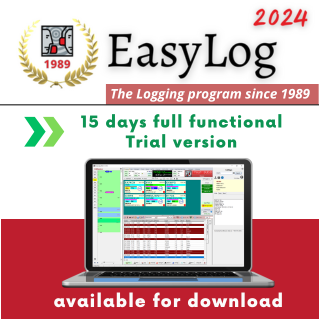
Not a user yet? Download the free Trial Version by October 31
and get a special coupon offer to purchase EasyLog!
|
|
|
|
|
✅ EasyLog Trial Version consistently showcases the newest available release of EasyLog
|
✅ Take advantage of a 15-day free trial and experience all the features of the full version just like a registered user.
|
✅ Install EasyLog in under a minute and activate it within seconds
|
✅ Explore a hassle-free world of services with free updates for awards, managers, and the DXCC country recognition engine
|
✅ Outstanding customer support: exclusive Facebook group, priority email assistance, TeamViewer sessions. No one is ever left behind.
|
|
|
 |
|
|
|
|
🔍 If your system, antivirus or firewall causes download problems, please contact us for help.
|
|
|
|
|
|
|
Tips & Tricks
|
|
|
FT8-Running & WSJTX setup
|
Vincenzo, IK8OZV created a simple step by step guide to enable WSJT-X to save QSOs on EasyLog.
|
Click the following button to download the guide.
|
|
|
|
|
|
|
MSHV is a software that can be used with FT8/FT4 and that can be set to work with EasyLog. Vincenzo created another guide about how to set MSHV to work with EasyLog.
|
|
|
Click the following button to download the guide.
|
|
|
|
|
Logging into the User Reserved Area
|
You can log into the User Reserved Area from EasyLog. By clicking with the right mouse button over the squared logo on the top bar of EasyLog as shown below:
|
 |
|
|
You will then click the EasyLog Reserved Area option and the internet web browser will prompt for the access credentials. Please type (in uppercase) your username and password assigned to you when you purchased EasyLog and you will open the User Reserved Area that will looks like in figure 2
|
|
|
| |
 |
|
|
The top section displays your account email and expiration date, while the middle section features a table with the latest EasyLog release and Manager updates available for download.
The link below the table lets you download and install the latest updates for the CHECK (country recognition engine) of the DXCC and other custom awards.
|
Please explore the links for detailed instructions on using the User Reserved Area and how to download and install updates.
|
|
|
FT8-Running & WSJTX problem workaround
|
Users have reported unusual behavior from FT8-Running with WSJT-X when clicking the Make QSO button. The QSO does not start as expected. This is likely a bug in recent WSJT-X releases.
|
 |
|
|
To resolve this issue, select the Hold TX Freq checkbox, and the Make QSO button will function correctly. Refer to figure 3 for more details.
|
The issue appears to occur only when the TX and RX on the Graph/Waterfall are set to the same frequency. Locking the TX frequency will prevent this from happening. We will continue to investigate and provide updates if there are any developments.
|
JTDX is immune to this problem.
|
|
|
|
✅ EasyLog Cloud Backup can store up to 2000 backups of a 10,000 QSO log or 400 backups of a 50,000 QSO log
|
✅ The safest place for your logs. We safeguard your data which often represents years of dedicated effort.
|
✅ Get 7-day free trial without any obligations
|
✅ Secure your data swiftly and restore or synchronize it with your other computers.
|
|
|
 |
🔍 For any questions, please reach out to us for assistance.
|
|
|
|
|
|
|
|
|
|
✅ 12 months of free access to our Users Reserved Area
|
✅ All the new releases with the new features and bug fixes to download for free.
|
✅ EasyLog's license is perpetual; it does not expire. Yearly renewal is optional
|
|
|
|
|
|
-The radio waves are not visible; why then give them such importance and believe them essential?
-Oxygen is also invisible.
-Line Rainville
EasyLog Team
|
|
|
|
|
Thank you for consistently sharing your pictures and comments with us.
We are delighted to publish your content. Feel free to send event photos related to your radio amateur interests, or images of your equipment.
If you wish to submit a review, we will post it here and on our website.
|
|
|
|
|
|
|
|
|
We would like to express our sincere thanks for the images, articles and comments you share with us.
It is a privilege to be part of this incredible community, which strengthens our ties. We consider ourselves very lucky to share this trip with us.
Thank you again!
|
|
|
|
|
What a beautiful setting! Congratulations! It looks clean, colourful and sunny, full of joy.
Thank you, Martin, M0WZM, from Winchester, UK
|
|
|
|
|
A year ago, RAF La Revue des Radioamateurs Français et Francophones, a top publication for radio amateurs in France, praised the innovation and value of EasyLog. We are proud of this recognition.
This feedback inspired us to continually improve EasyLog to better serve you. We are committed to making EasyLog the best tool for radio amateurs worldwide.
Here’s what RAF La Revue des Radioamateurs Français et Francophones had to say on page 62...
|
|
|
|
|
|
|
|
|
 |
View our previous newsletters on our website.
Click here to access them!
|
|
|
|
|
|
|
|
|
|
|
|
 |
"Are you a hunter, too?"
"Me, I just hunt antennas."
|
|
|
 |
When we have nature on our side.
|
 |
|
|
|
|
|
|
|
|
|
Stay connected, follow us and give us a like.
|
|
|
Center Images
|
|
|
|
|
You are receiving this newsletter because you are either a registered user or have downloaded the trial version or the E-book.
|
|
Microware Software © 1989-2024 - All rights reserved
|
|
|
|
|
|
|


