
Take command
of your DXing.
Don't just watch the spots. Discover new DXCC opportunities and your next New Ones, monitor band activity, and track propagation conditions. All within the EasyLog ecosystem.
A DX Cluster shows you the spots.
DX-Commander shows you the opportunities.
Thousands of spots flow through DX Clusters every day. But which ones really matter to you? DX-Commander turns this information into a powerful tool for analysis and discovery, fully integrated with your EasyLog logbook.
Discover Your Next New Ones
Thanks to its integration with your EasyLog logbook, identify the DXCC, band, and mode New Ones that matter to you, without getting lost among thousands of spots.
Analyze Band Activity
Explore DX spots, see which bands are most active, and analyze trends in amateur radio activity. All through clear, intuitive graphical tools.
Explore the World
Check the gray line and propagation conditions, follow DXpeditions, and discover the conditions that could make your next contact especially interesting.
Discover the features that make DX-Commander much more than a traditional DX Cluster.
All the tools you need to enjoy DXing.
From finding New Ones to analyzing band activity, DX-Commander brings together the tools you need to monitor and understand what's happening on the air, all in one platform.
DX Spots and DX Hunter
View real-time DX spots and use DX Hunter to quickly find stations and opportunities that match your interests.
REAL-TIME SPOTS · DX SEARCHDXCC Opportunities
Using data from your EasyLog logbook, DX-Commander highlights DXCC, band, and mode New Ones, helping you instantly recognize opportunities you still need to work.
INTEGRATED WITH YOUR LOGBOOKBand Board
See activity across different bands at a glance and quickly identify those offering the most interesting DX opportunities.
DX ACTIVITY BY BANDGray Line and Propagation
Explore the day/night terminator, view the MUF map, and check at-a-glance assessments of HF propagation conditions.
Up-to-Date DXpeditions
Browse the DXpedition calendar, featuring information automatically retrieved from NG3K and clear indicators showing which expeditions are active today.
Statistics and DXCC Award
Analyze spot distribution by band and mode, track activity trends over time, and review your DXCC status across different bands and modes.
Watch the full demonstration or find out how to access DX-Commander through EasyLog.
Discover it in 5 minutes.
From DXCC opportunities to DX Hunter, from band activity to propagation maps: explore DX-Commander through a practical demonstration of its features.
Watch the video in high definition. To see all the details of the DX-Commander screens, click the gear icon ⚙ in the video player and select Quality → 1080p HD.
Prefer YouTube? Watch the video in a new tab.
Your logbook does more than record QSOs.
It helps you discover your next New Ones.
DX-Commander uses information from your EasyLog logbook and compares it with incoming DX spots, helping you identify DXCC opportunities on the bands and modes that matter to you.
- Your QSO history matters: DXCC data from your logbook helps distinguish entities you have already worked from the New Ones you are still chasing, including band and mode New Ones.
- Targeted DX spots: more easily identify the spots that match your DXCC goals.
- EasyLog and DX-Commander: EasyLog on your PC and DX-Commander on the web, bringing new monitoring and analysis tools alongside your logbook.
DX-Commander, always with you.
Directly from EasyLog or through your web browser: check DX activity and your New One opportunities even when you're away from your station.
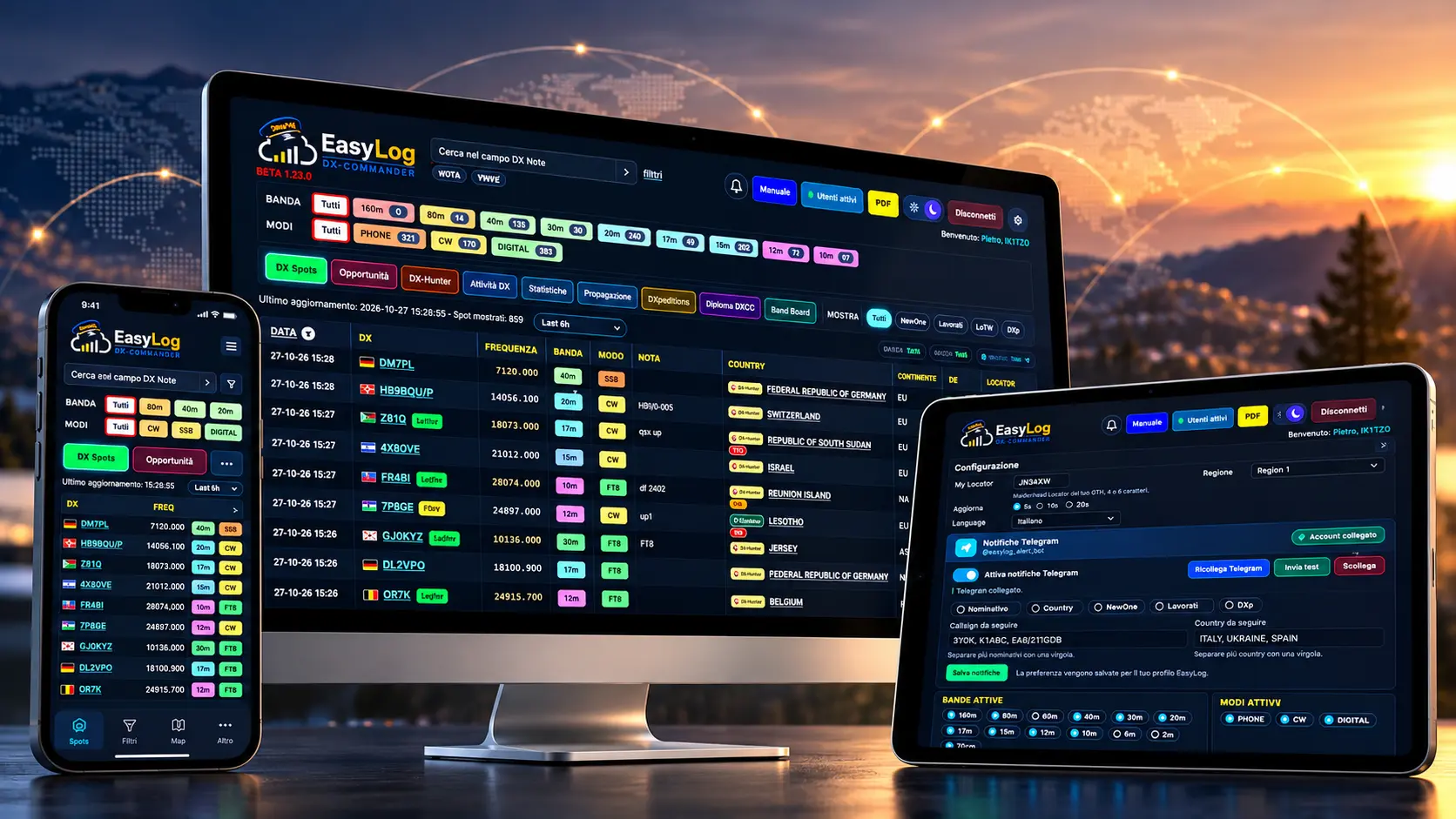
Open DX-Commander directly from the Dashboard menu in EasyLog: your DXCC data and analysis tools are just a click away.
Access DX-Commander from any computer using your web browser and your EasyLog Members Area credentials.
Monitor band activity and check potential New Ones on the go, using your device's web browser.
Want to explore all the features? Watch the full demonstration. To learn about access requirements, see how to get access.
Your next New One?
Let DX-Commander alert you.
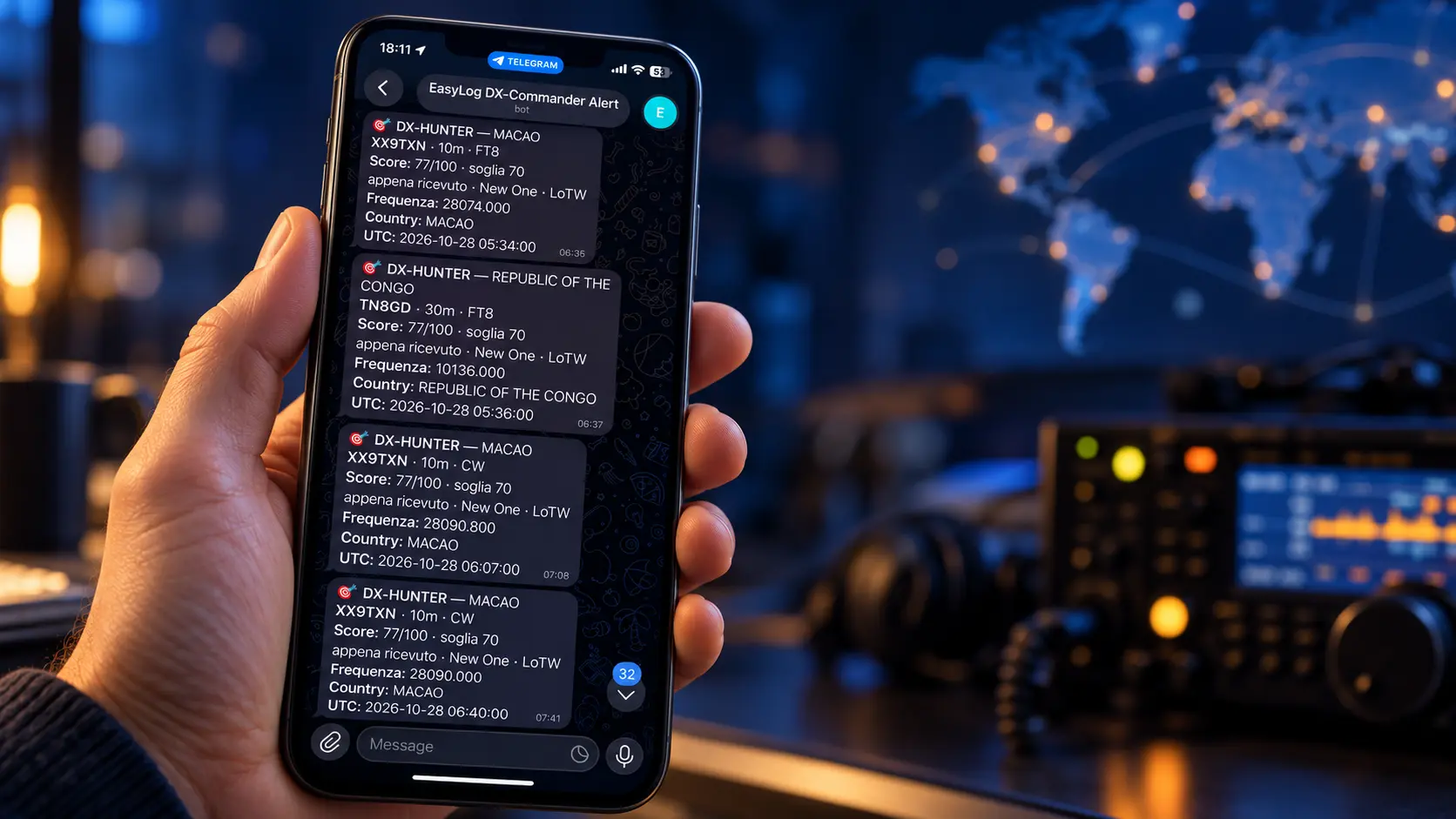
No need to constantly monitor the DX Cluster. DX-Commander sends you personalized Telegram notifications whenever DX spots matching your interests are reported.
Customize your alerts by callsign, DXCC entity, and New One opportunities, so you only receive notifications that match your DXing goals.
Find Out How to Access DX-Commander
DX-Commander is included.
Find out how to get access.
Already using EasyLog, need to renew your support, or thinking about getting started? Choose the option that's right for you and discover how DX-Commander can help you find your next New One.
Get Started with EasyLog
Discover our amateur radio logging software and gain access to an ecosystem that includes DX-Commander during your active support period.
- Logging and tools for amateur radio
- DX-Commander included with active support
- DXCC opportunities linked to your logbook
This link takes you to the official EasyLog purchase page.
Renew and Get Back on Track
Renew your EasyLog support to regain access to updates, member services, and DX-Commander, with no additional charge for DX-Commander.
- Access to DX-Commander at no additional cost
- Access to new releases and updates
- Technical assistance and services included with your support
Check your support status and available renewal options on the renewal page.
DX-Commander Is Already Yours
There's no need to purchase another product. Sign in with your EasyLog credentials and start using DX-Commander while your support is active.
- FREE access during your active support period
- DX activity analysis and opportunities
- Tools to help you discover your next New Ones
From EasyLog, open DX-Commander directly using the DX-Commander button in the Dashboard menu. To access it via the web, use your EasyLog Members Area credentials.
Three different ways to get started, one shared goal: make the most of your logbook and help you discover new DX opportunities.

Your next New One could be on the air right now.
Take command.
Turn DX spots into real opportunities: discover your next New Ones, explore band activity, and receive personalized notifications, even when you're away from your station. All with DX-Commander, fully integrated into the EasyLog ecosystem.
Have questions? We've got answers.
Is DX-Commander free?
Yes. DX-Commander is included at no additional cost for EasyLog users during their active support period.
How do I access DX-Commander?
You can open DX-Commander directly from the Dashboard in EasyLog. To access it via the web, sign in using your EasyLog Members Area credentials.
Can I use it away from my station?
Yes. You can use DX-Commander on a computer, tablet, or smartphone through your web browser, wherever you have an Internet connection.
Can I receive Telegram notifications?
Yes. You can set up personalized Telegram notifications based on your interests, including callsigns, DXCC entities, and New Ones.
Ready to get started? Explore your access, purchase, and renewal options.